How to download the evidence package in JHA Creator
When an inspector, client or insurer asks what the crew was told, you need more than the final document. The evidence package is one ZIP with every revision document, the full history of approvals, briefings and concerns, and the keys that verify crew sign-offs.
Before you start
- An analysis with at least one submitted revision
Preview voice Narrated with a local preview voice; the final recording replaces it.
Transcript
When an inspector or client asks what the crew was told, download everything about an analysis in one file, ready for the audit.
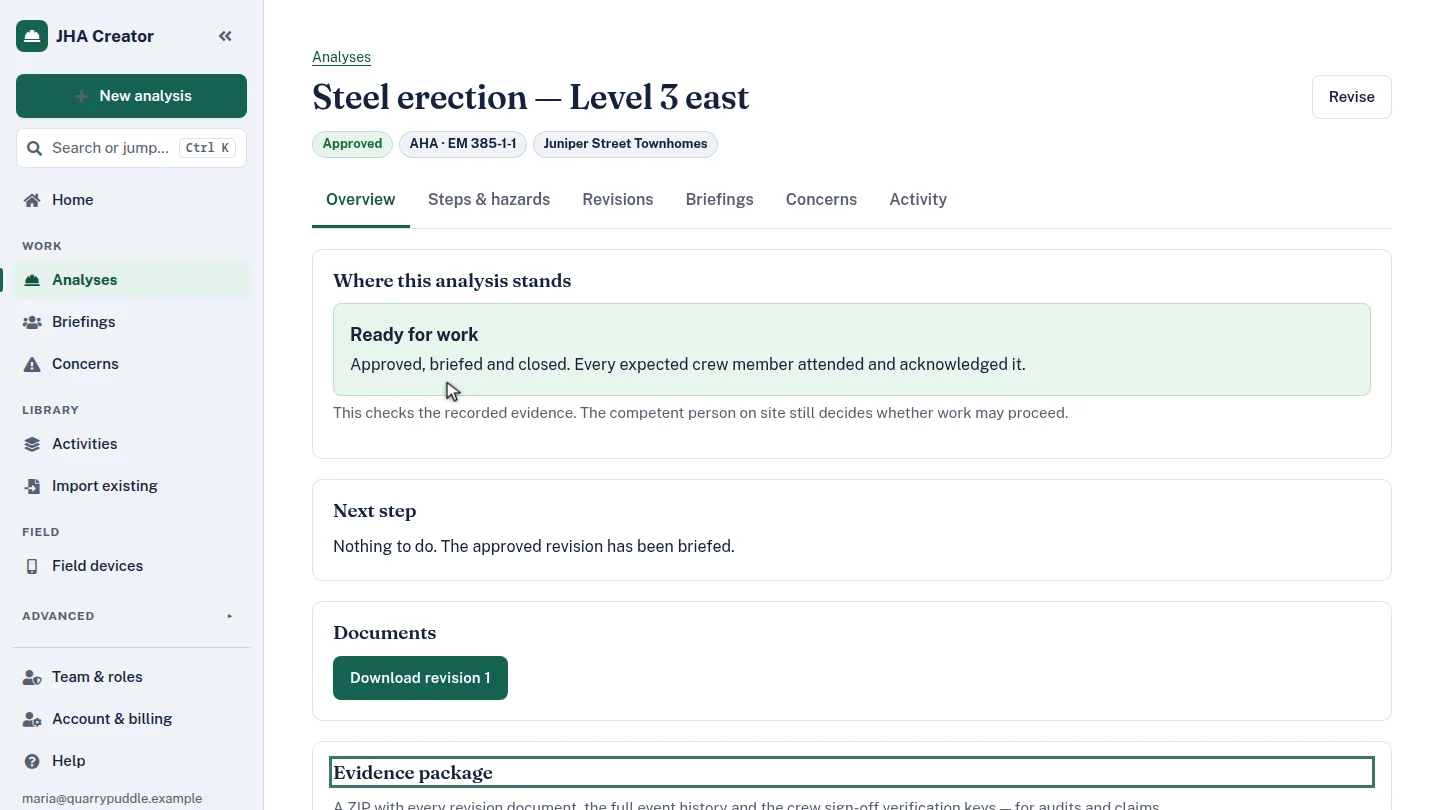
Open the analysis from Analyses. It opens on Overview.
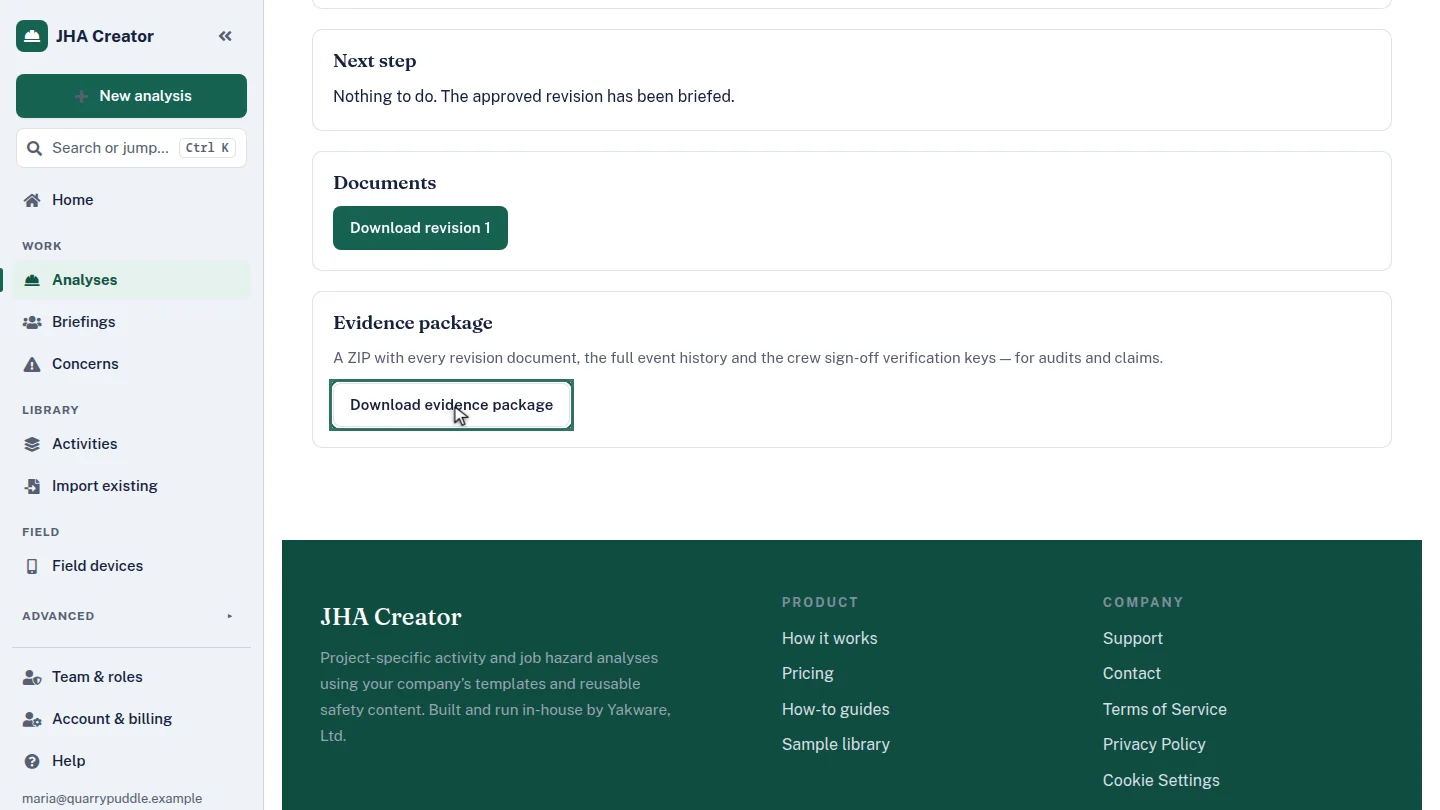
Under Evidence package, select Download evidence package. The download is recorded on the analysis.
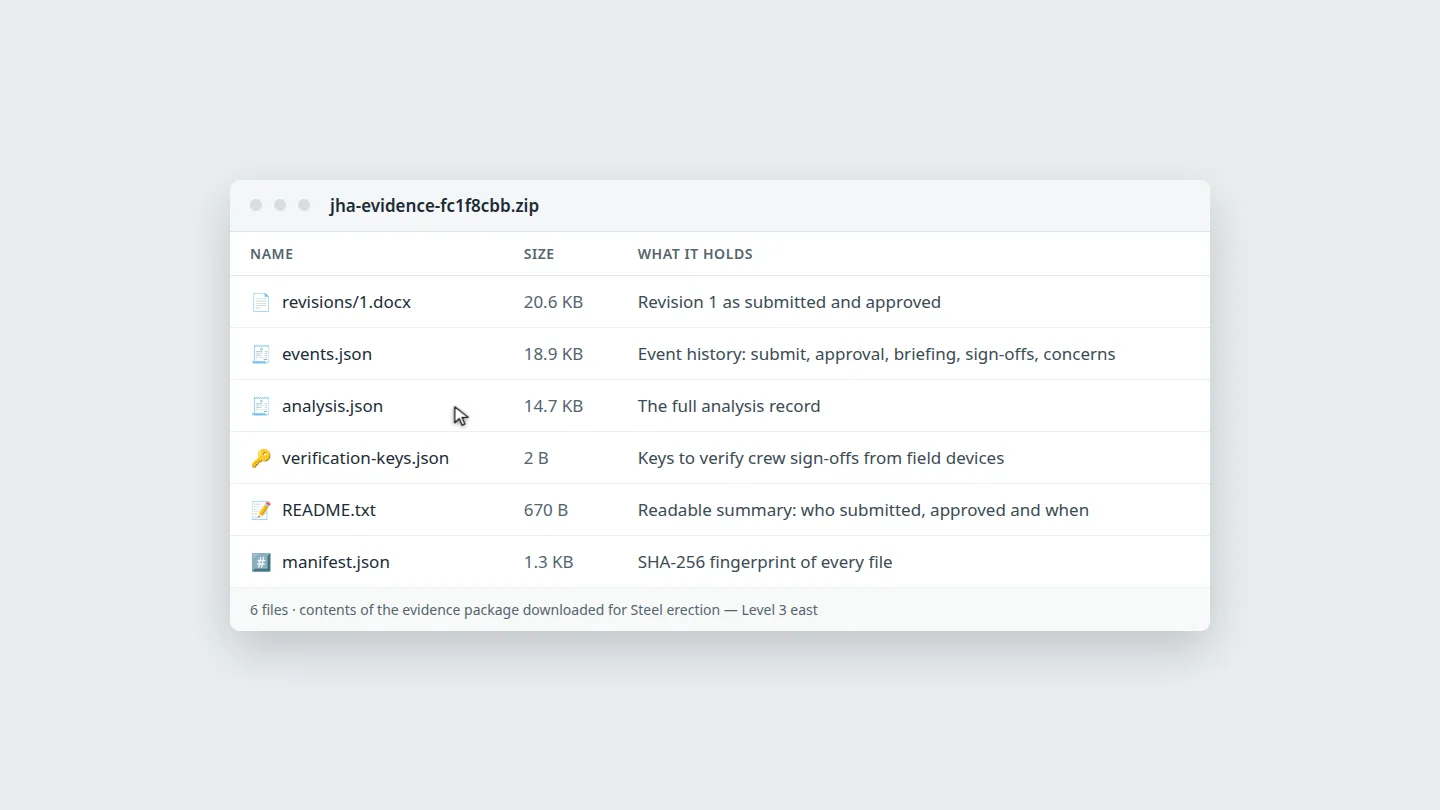
Open the ZIP. It has each revision document, the event history, the crew sign-off keys, a readme summary, and a manifest with a fingerprint for every file.
Steps
Open the analysis ▶ 0:10
In Analyses, select the analysis. It opens on Overview.
Download it ▶ 0:14
Under Evidence package, select Download evidence package.
Check what's inside ▶ 0:22
Open the ZIP. The revisions folder holds each revision document. events.json is the full history, verification-keys.json holds the crew sign-off keys, README.txt is a readable summary, and manifest.json lists a SHA-256 fingerprint for every file. If a package would be over 50 MB, download the revisions one by one from the Revisions tab.
Next steps
Updated 2026-11-09
evidence audit export zip records inspection claim history