How to resolve a crew concern in JHA Creator
During a briefing, any crew member can select Raise concern to question a step or a control. Work on that analysis shows Blocked by a concern until someone deals with it, so assign an owner, fix the problem, and record what was done.
Before you start
- An open concern raised in a briefing
Preview voice Narrated with a local preview voice; the final recording replaces it.
Transcript
A crew member questioned a control during the briefing. Close the loop on their concern, and unblock the work.
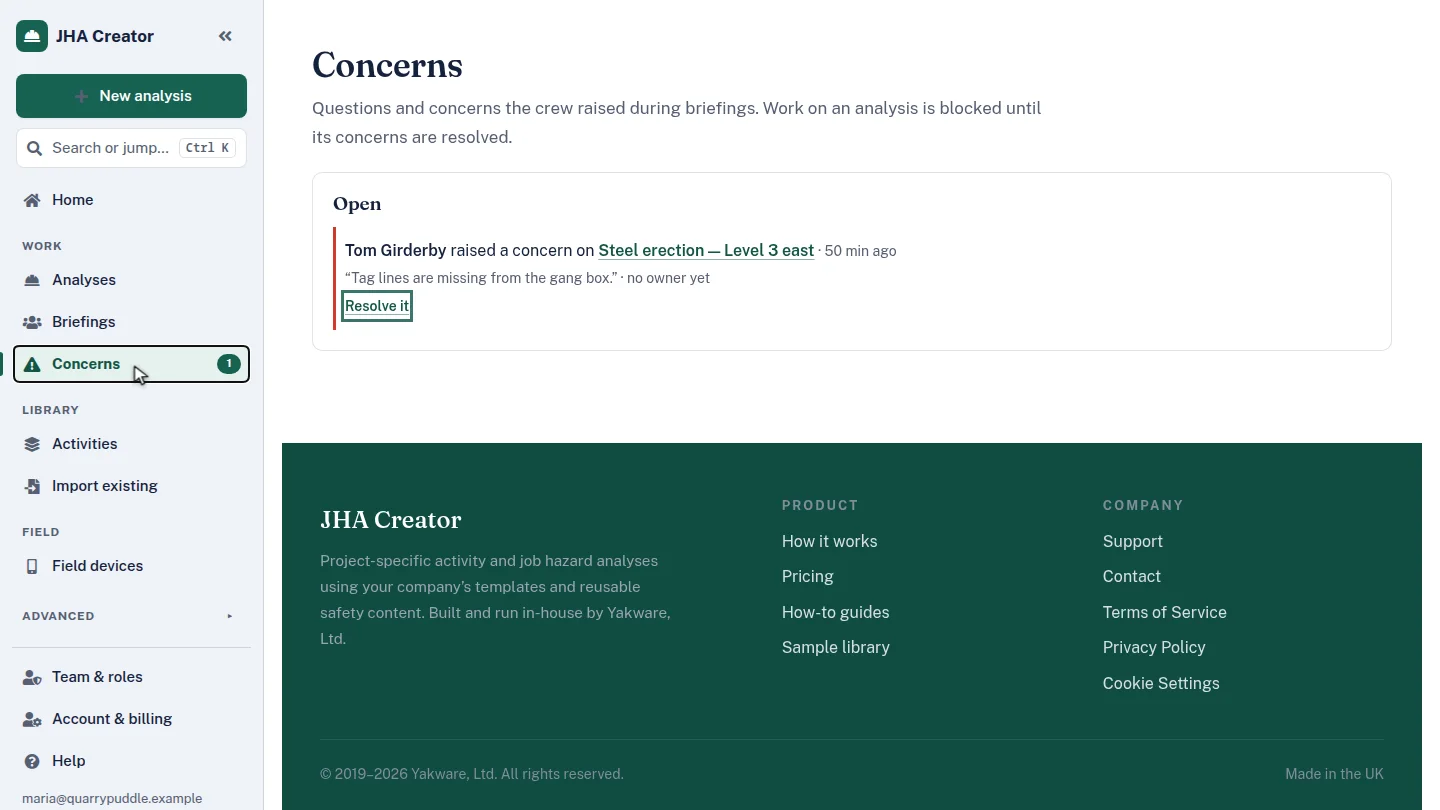
In Concerns, select Resolve it next to the concern. The analysis opens on its Concerns tab.
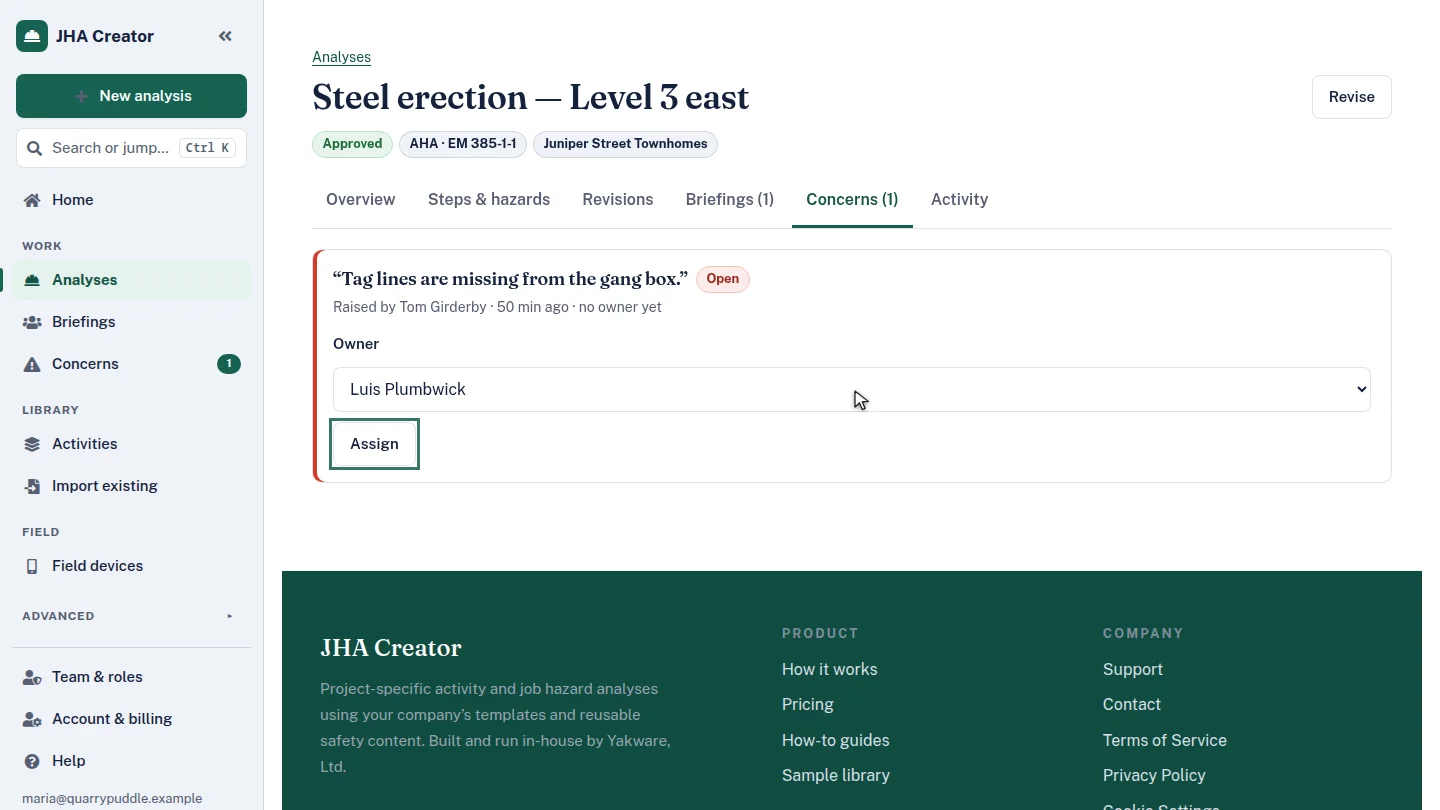
Choose who will deal with it as the owner, such as the foreman, and select Assign.
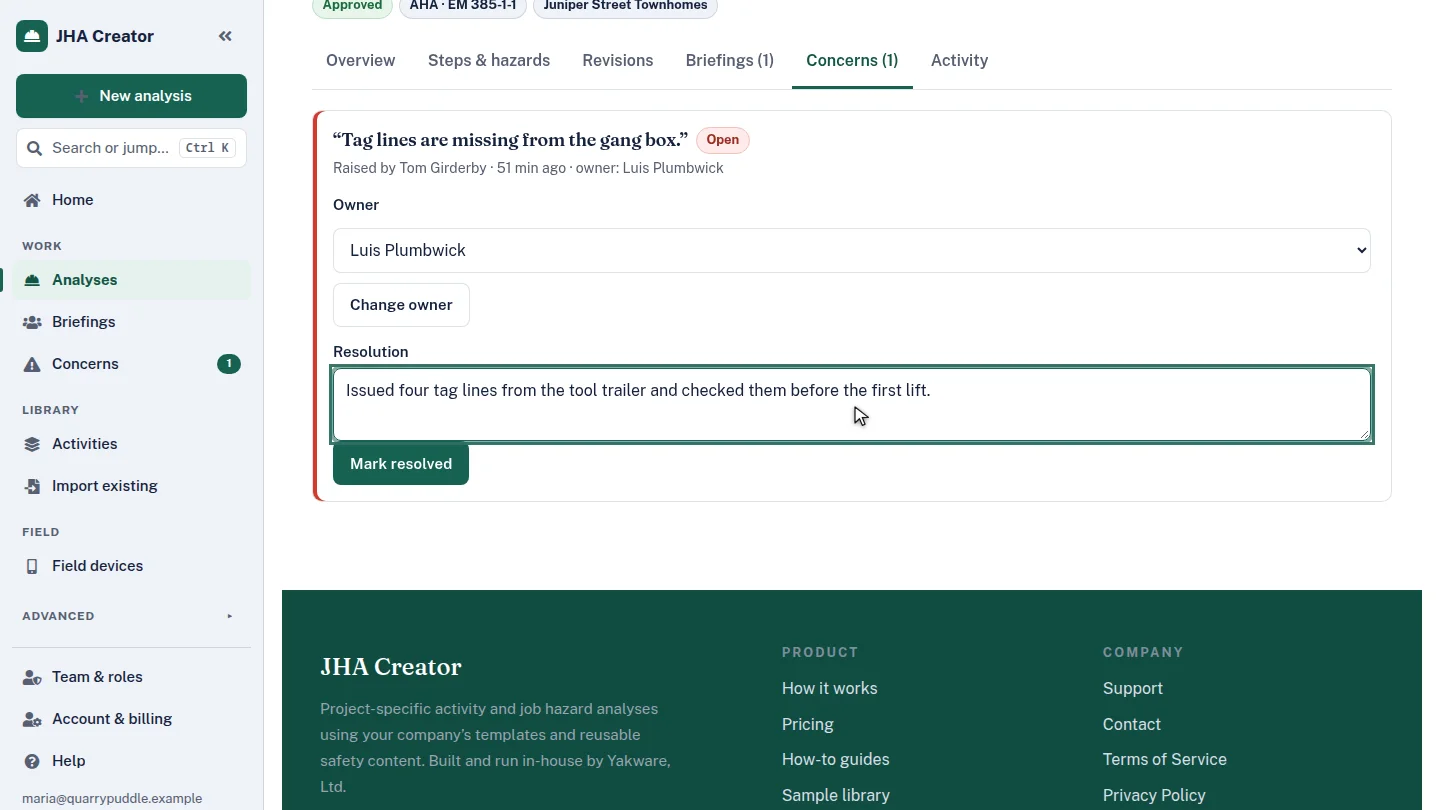
When it's fixed, describe what was done and how it was checked.
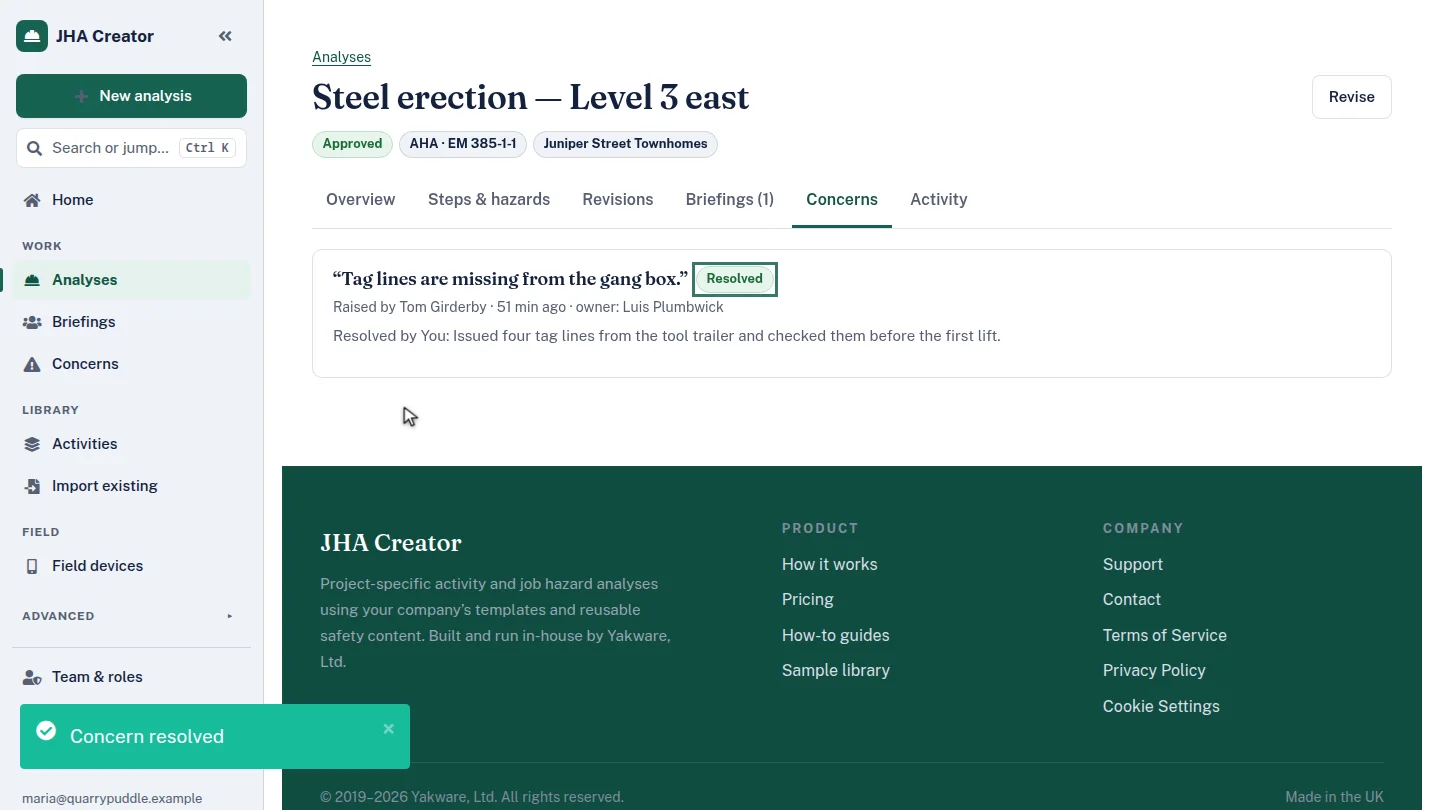
Select Mark resolved. The concern shows resolved, with your note.
Steps
Open the concern ▶ 0:09
In the sidebar, select Concerns, then select Resolve it next to the concern. The analysis opens on its Concerns tab.
Assign an owner ▶ 0:16
For Owner, choose who will deal with it, then select Assign.
Record the fix ▶ 0:22
When the problem is fixed, describe what was done and how it was checked in Resolution.
Mark it resolved ▶ 0:27
Select Mark resolved.
Next steps
Updated 2026-11-09
concern stop work question corrective action assign owner resolve