How to approve your own analysis in JHA Creator
On a one-person account nobody else can review your work, but the crew still needs an approved analysis. JHA Creator lets you approve your own revision by signing a statement that you are the competent person responsible for it. The statement goes into the evidence package.
Before you start
- Nobody else on the account is an owner, admin or approver. Once someone is, they review it instead.
- A revision awaiting review (see Submit an analysis for review)
Preview voice Narrated with a local preview voice; the final recording replaces it.
Transcript
Working alone, with nobody else to review your work? Approve your own analysis with a signed statement, so you can brief the crew today.
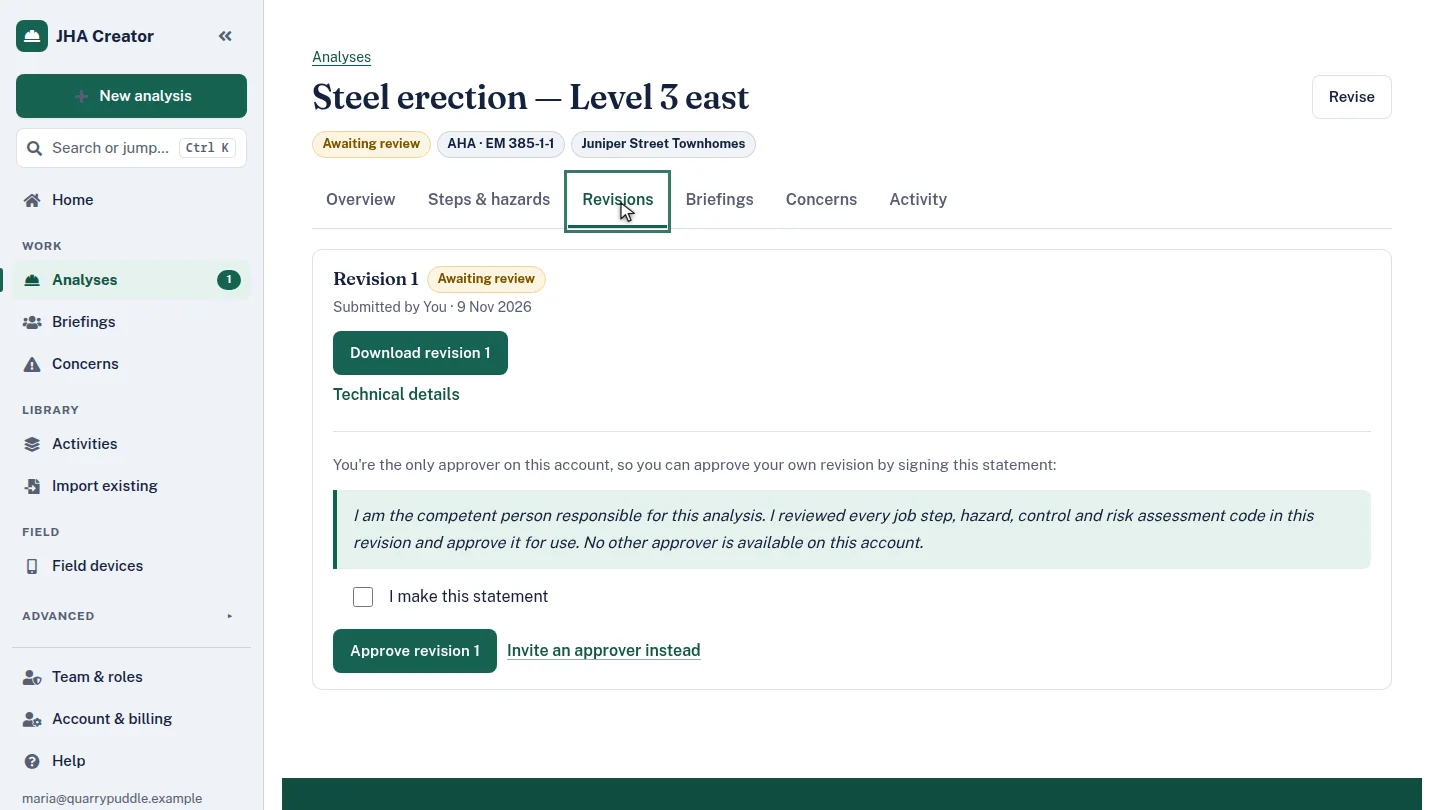
Open the analysis and select the Revisions tab.
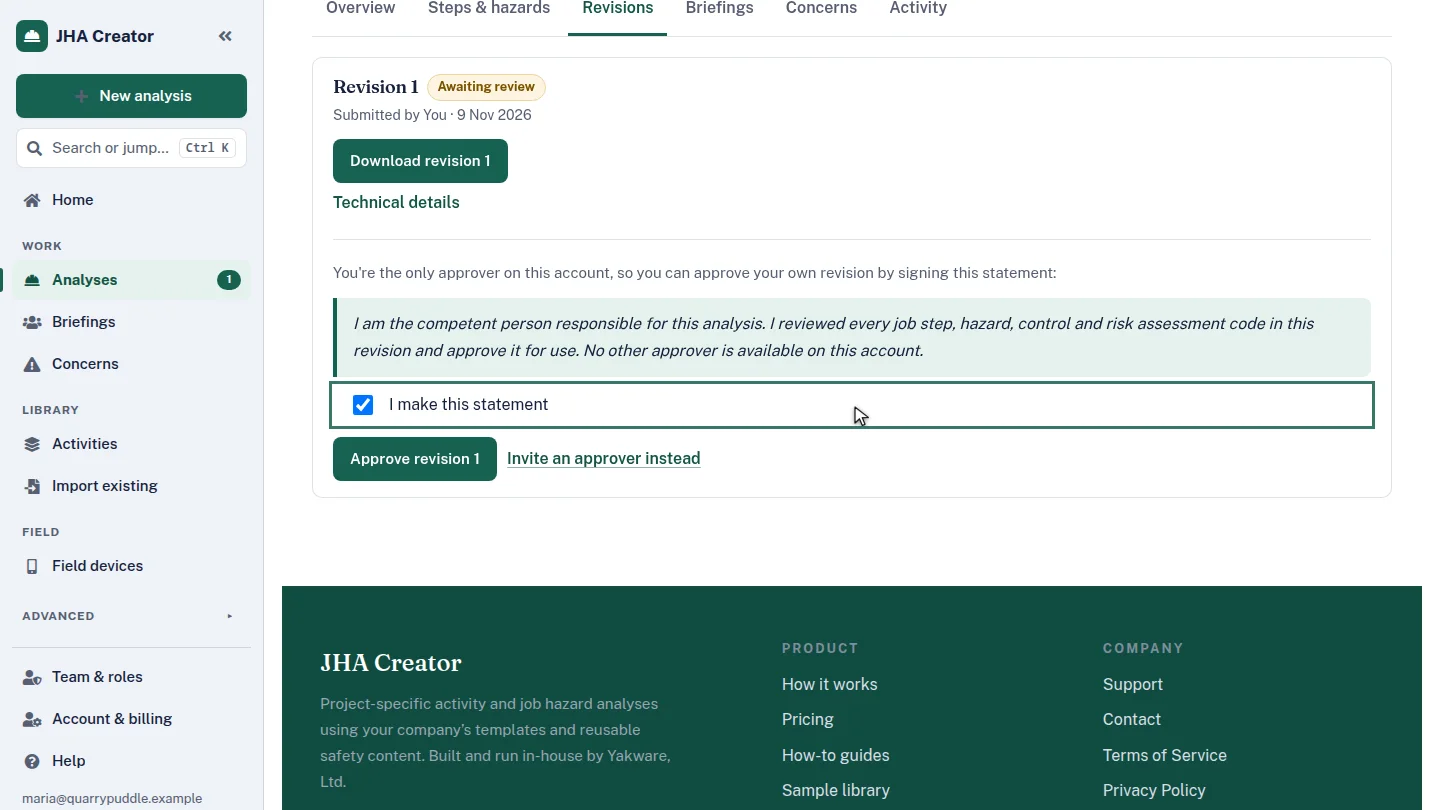
Read the statement. It says you're the competent person, you reviewed every step, hazard and control, and no other approver is available. Tick I make this statement.
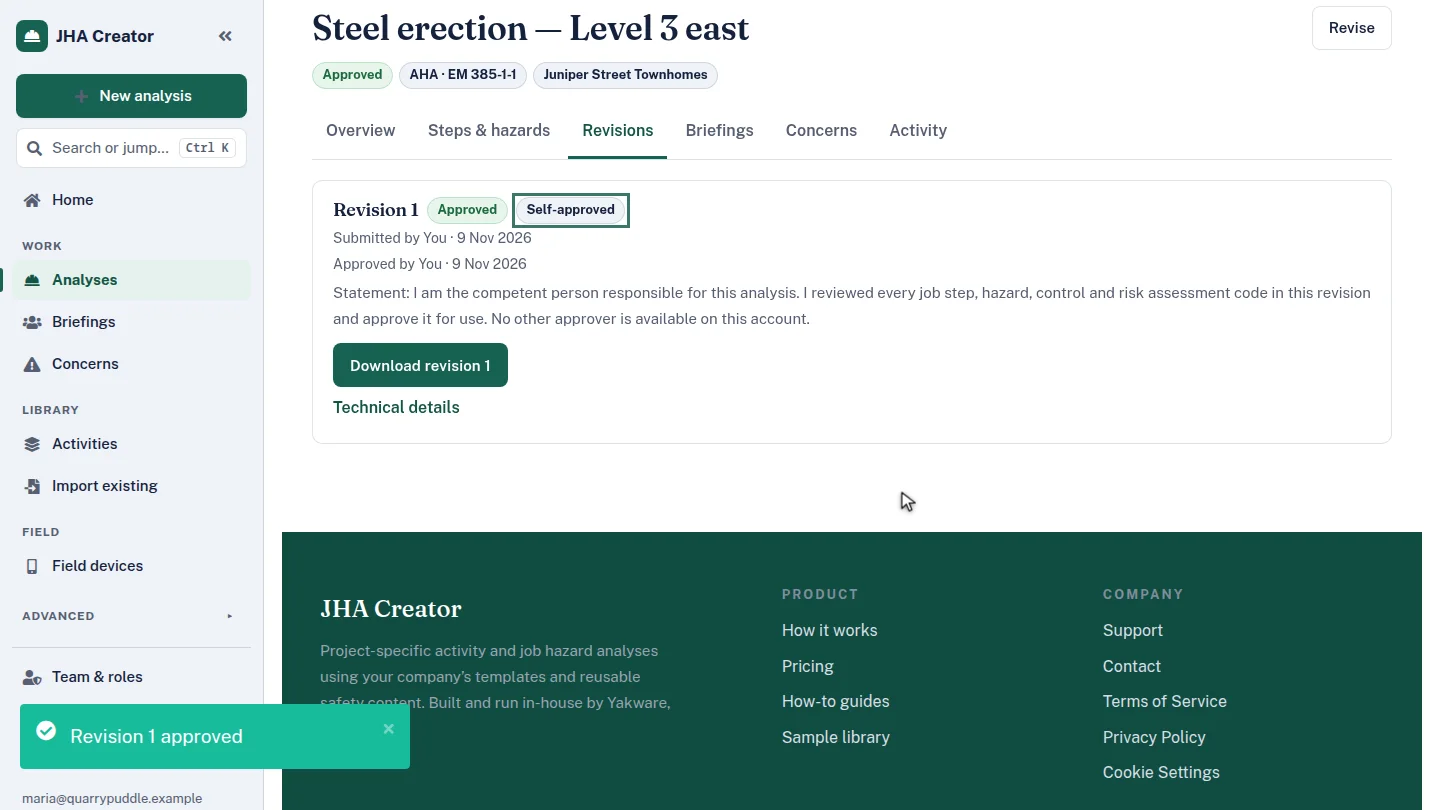
Select Approve revision one, and confirm with Approve. The revision is approved, and marked self-approved.
Steps
Open Revisions ▶ 0:10
In Analyses, select the analysis, then select the Revisions tab.
Sign the statement ▶ 0:14
Under You're the only approver on this account, read the statement: “I am the competent person responsible for this analysis. I reviewed every job step, hazard, control and risk assessment code in this revision and approve it for use. No other approver is available on this account.” Tick I make this statement.
Approve ▶ 0:26
Select Approve revision 1, then select Approve in the confirmation. Your statement is recorded with your sign-in and the time.
Next steps
Updated 2026-11-09
self-approve approve sole proprietor one person competent person statement sign off