How to create a JHA in JHA Creator
For commercial work under OSHA 29 CFR 1926 or 1910, a Job Hazard Analysis (JHA) lists each job step, its hazards and the controls the crew uses. When no library activity fits the job, start blank and add the steps one by one, reusing library steps where they match.
Before you start
- The Author role (an admin gives it on Team & roles)
Preview voice Narrated with a local preview voice; the final recording replaces it.
Transcript
Build a Job Hazard Analysis from scratch, with OSHA controls and references.
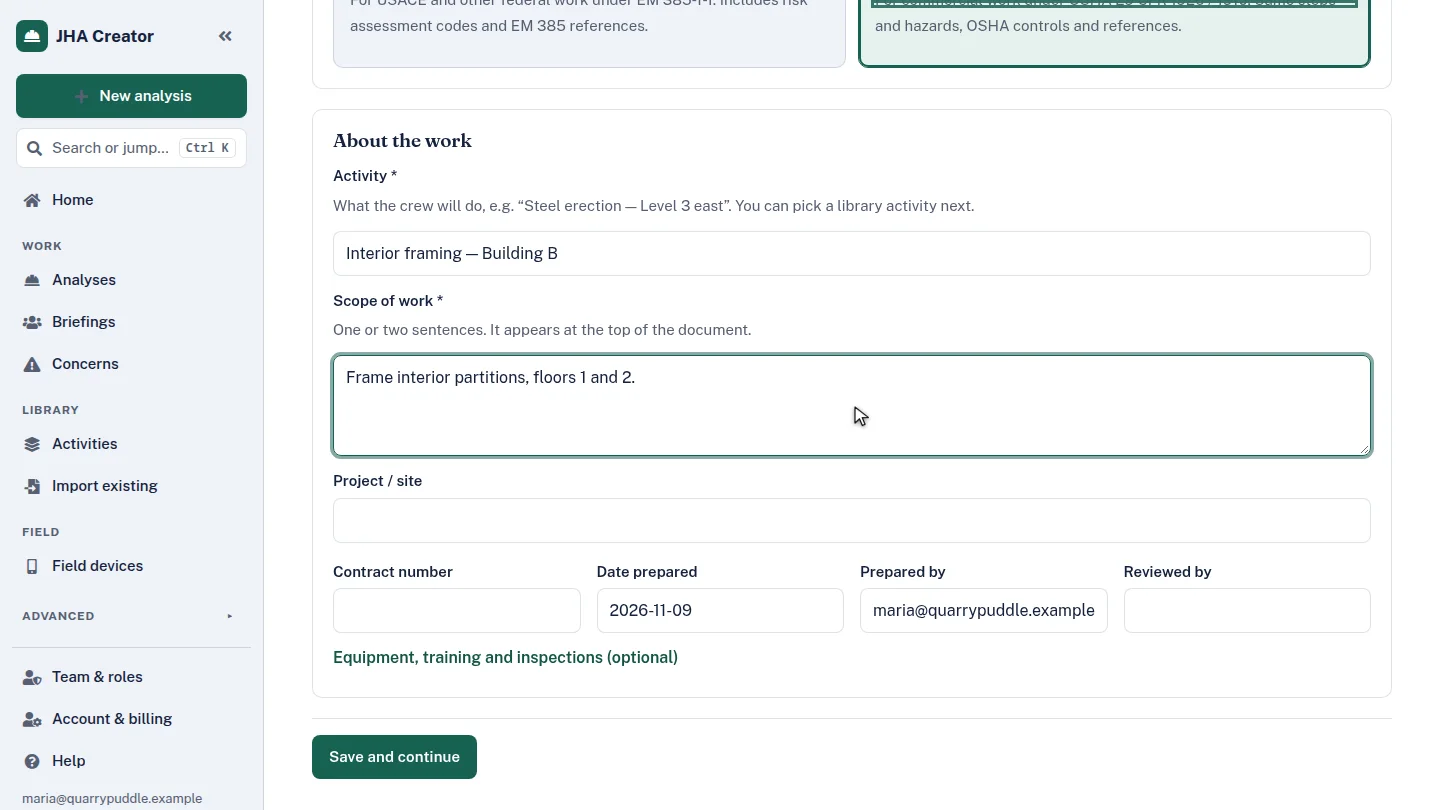
Choose Job Hazard Analysis, name the activity and describe the scope of work. Then select Save and continue.
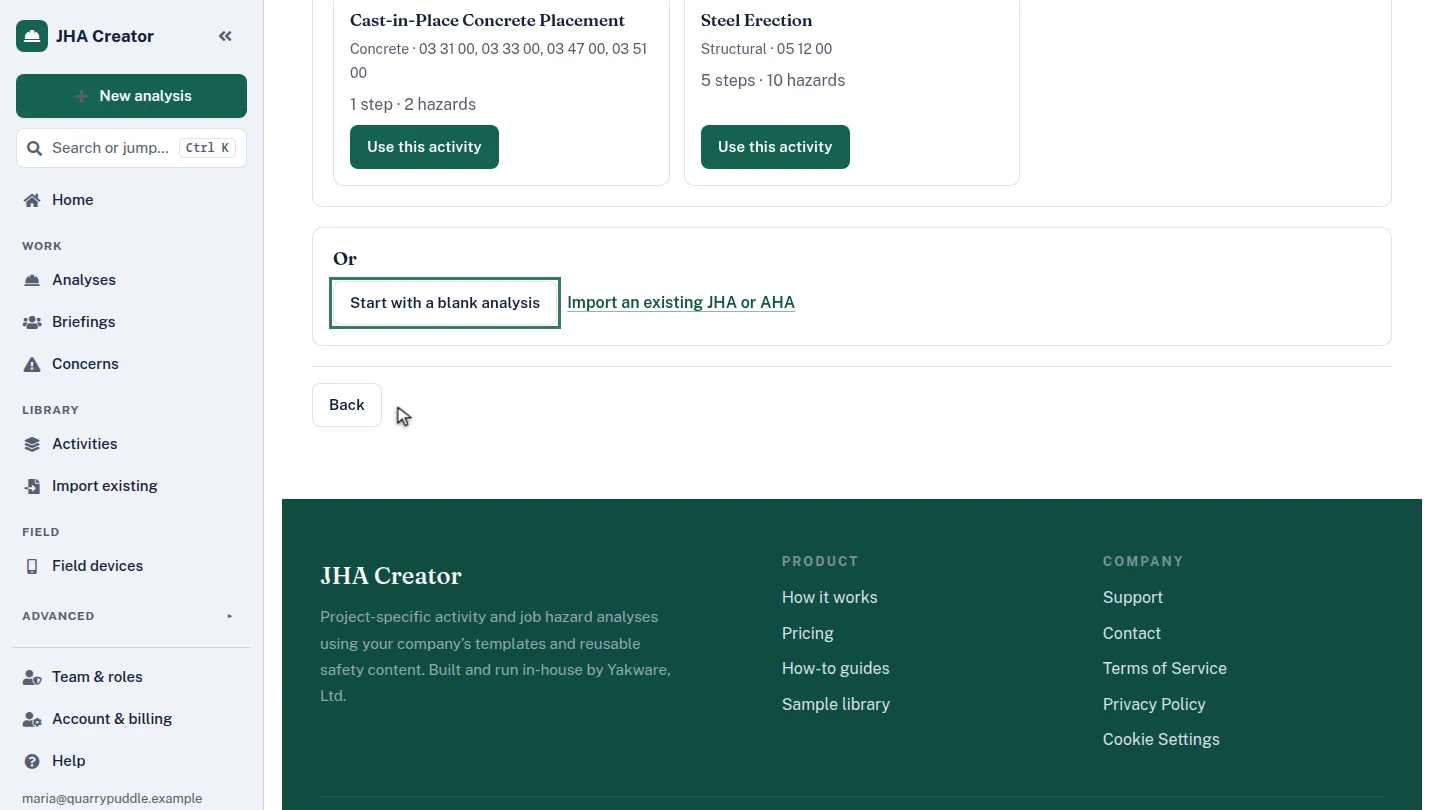
No library activity fits, so select Start with a blank analysis.
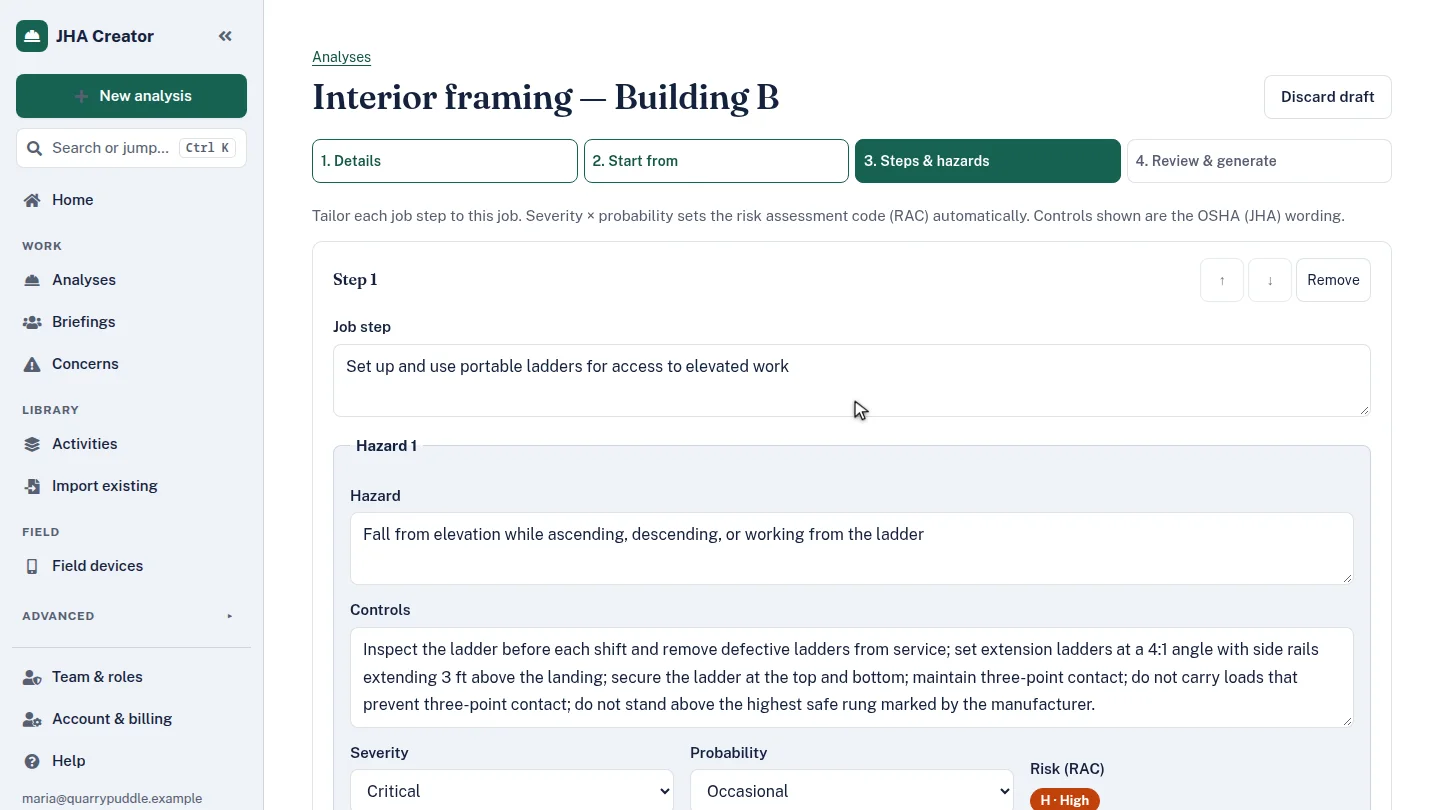
Add a job step from the library list, or add a blank step and type your own.
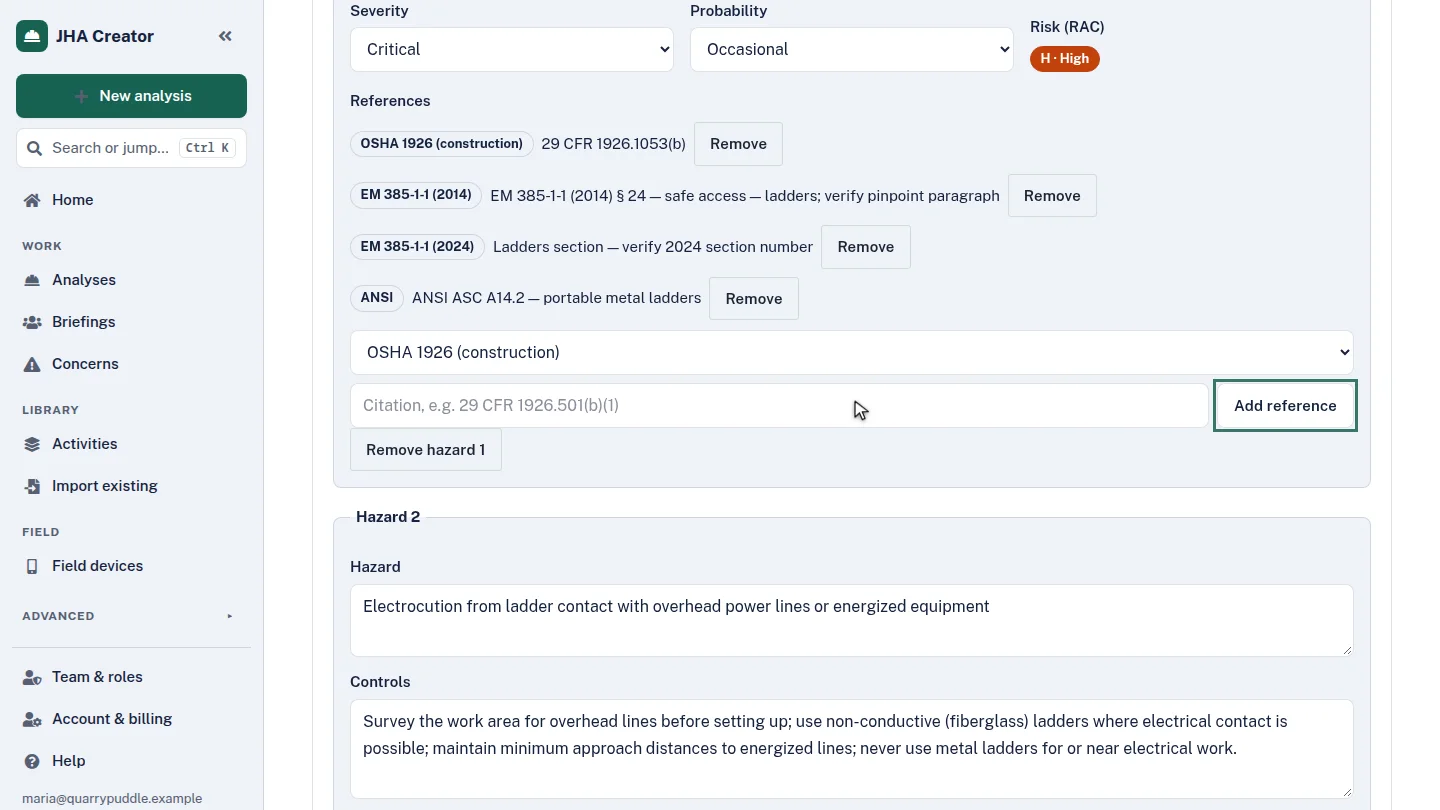
For each hazard, fill in the controls, severity and probability, and add an OSHA reference. Then select Save and review.
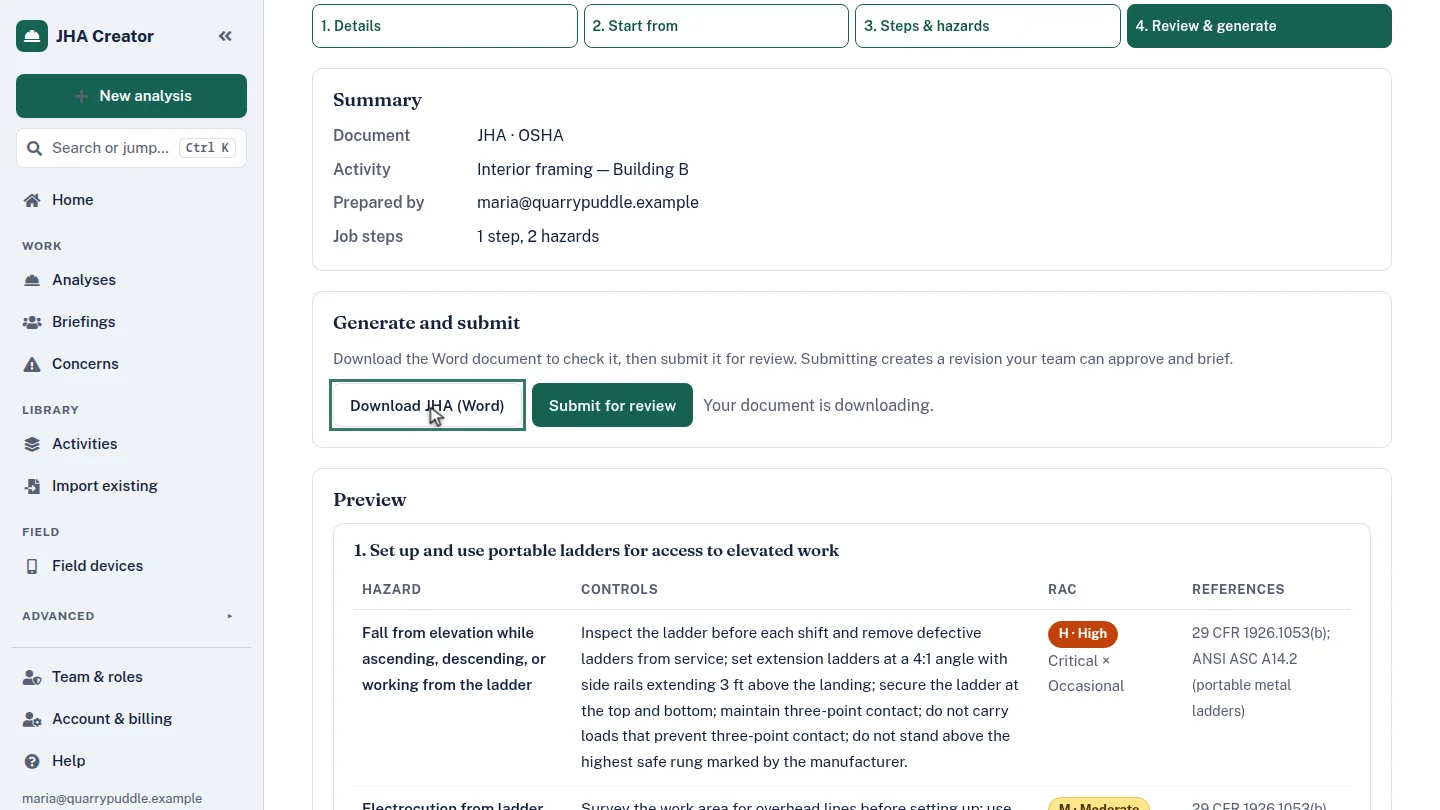
Download the JHA as a Word document, and check it before you submit it for review.
Steps
Choose JHA and describe the work ▶ 0:06
In the sidebar, select New analysis. Select Job Hazard Analysis (JHA), enter the Activity and Scope of work, then select Save and continue.
Start blank ▶ 0:14
Under Or, select Start with a blank analysis. The wizard moves to Steps & hazards.
Add job steps ▶ 0:19
Under Add a job step, choose a step from Add a step from the library…, or select Add a blank step and type the Job step yourself.
Complete each hazard ▶ 0:25
For each hazard, fill Hazard, Controls, Severity and Probability, and add at least one reference. Select Save and review when the editor says Everything is complete.
Download the Word document ▶ 0:34
On 4. Review & generate, select Download JHA (Word).
Next steps
- Submit an analysis for review
- Edit job steps, hazards and controls
- Choose between an AHA and a JHA
- Create your first AHA
- Print a JHA on OSHA's template
Updated 2026-11-09
job hazard analysis OSHA 29 CFR 1926 JHA template blank analysis job safety analysis