How to print a JHA on OSHA's Job Hazard Analysis Template in JHA Creator
Some owners and general contractors ask for OSHA's Job Hazard Analysis Template by name. Choose it as the form layout and the analysis you build prints on the Word file OSHA publishes, with your steps, hazards, controls and safety signs in its table.
Before you start
- The Author role (an admin gives it on Team & roles)
Transcript
Asked for OSHA's Job Hazard Analysis Template by name? Print your analysis on OSHA's own Word form.
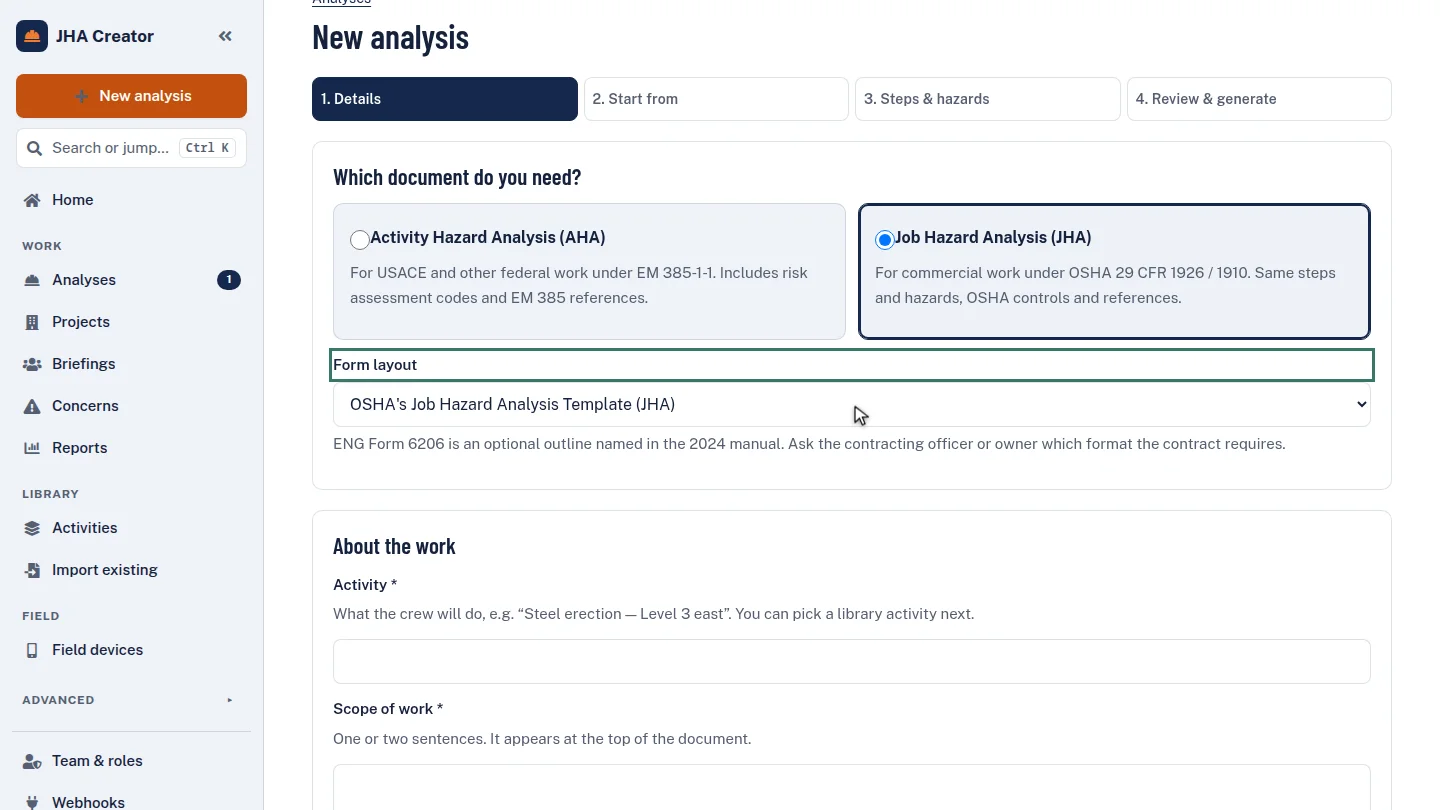
Choose Job Hazard Analysis. Then, under Form layout, choose OSHA's Job Hazard Analysis Template.
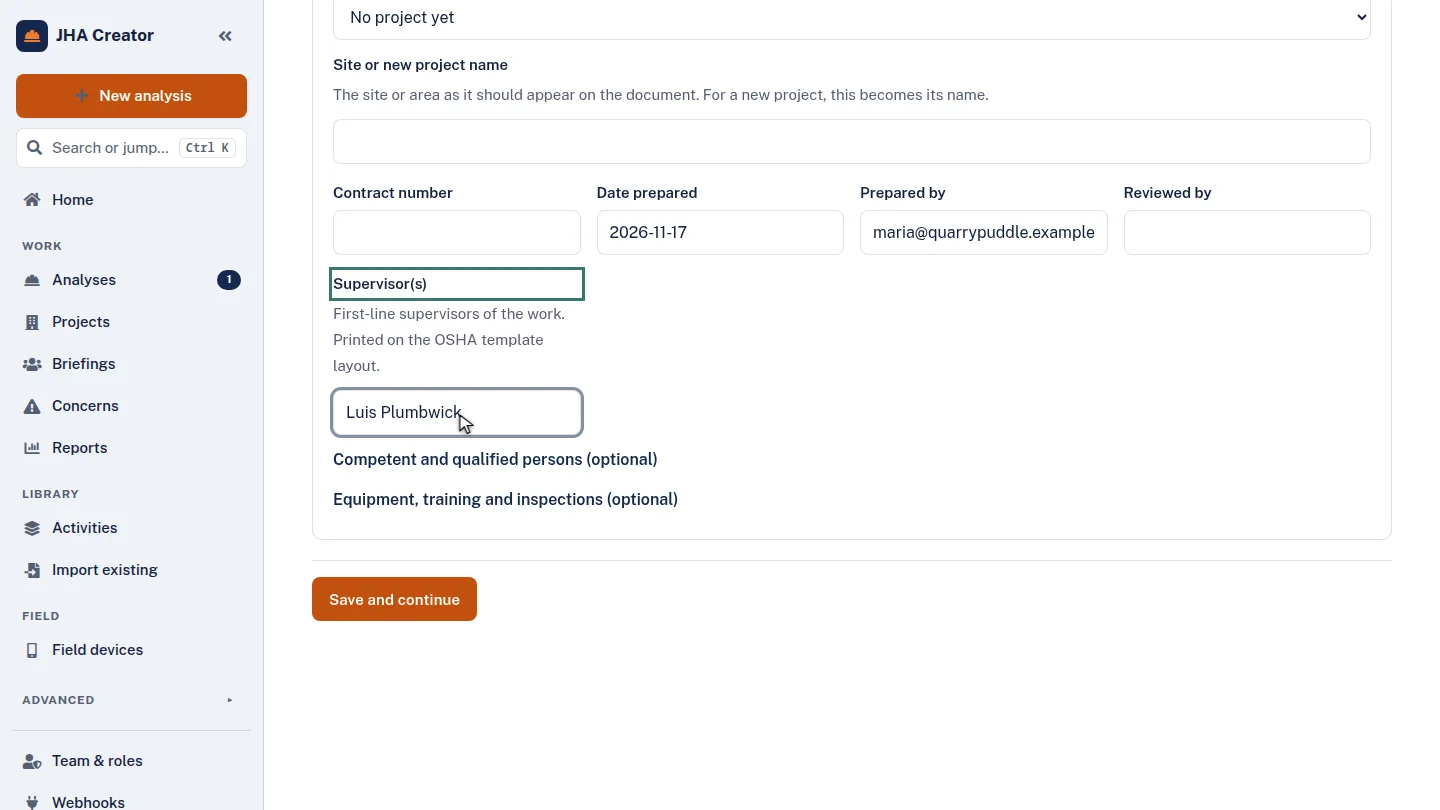
Fill in the activity, the scope of work and the supervisors. OSHA's header prints them, along with the PPE you list.
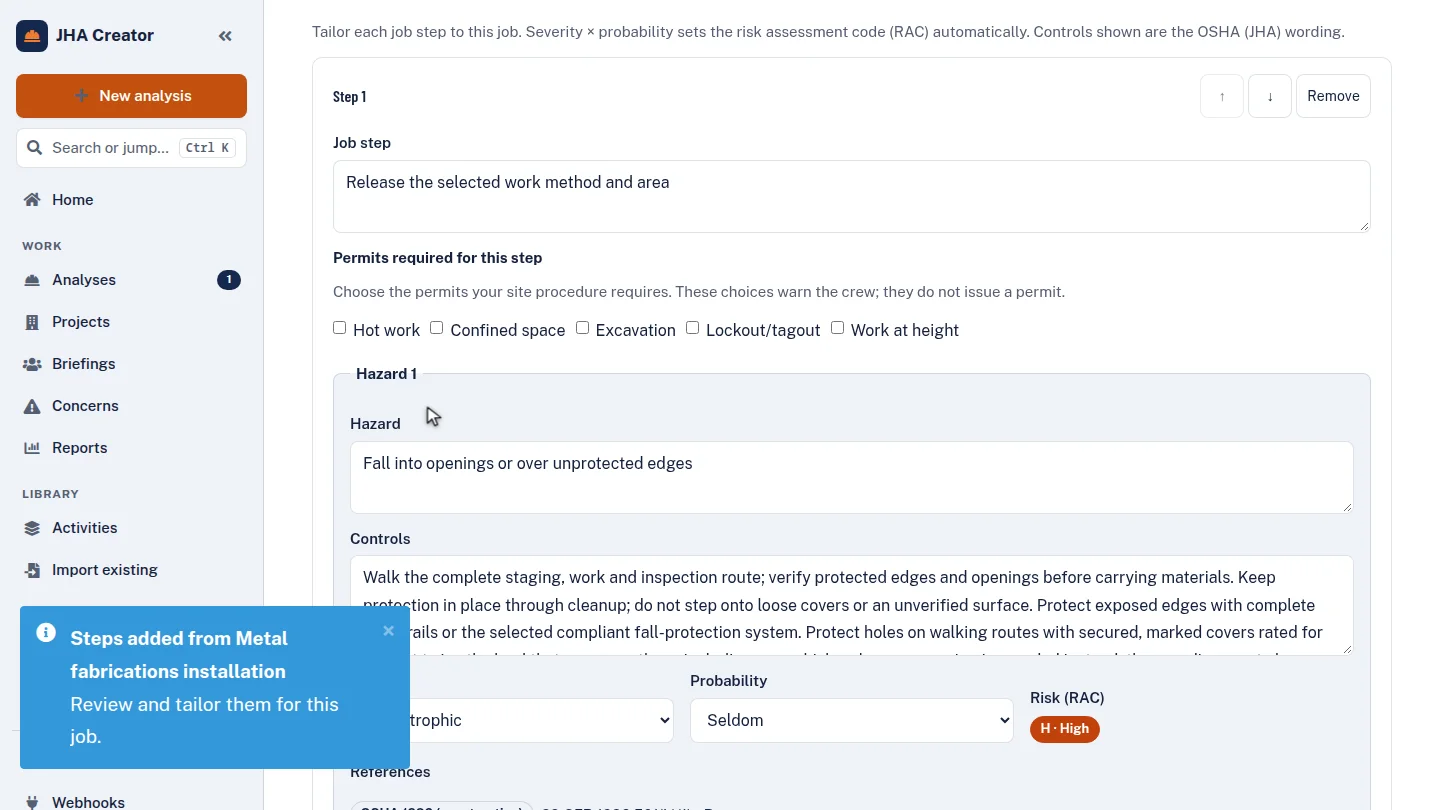
Pick a library activity, such as Structural Steel Frame Erection. Its steps, hazards and controls come with it as a starting point. Tailor them to this job.
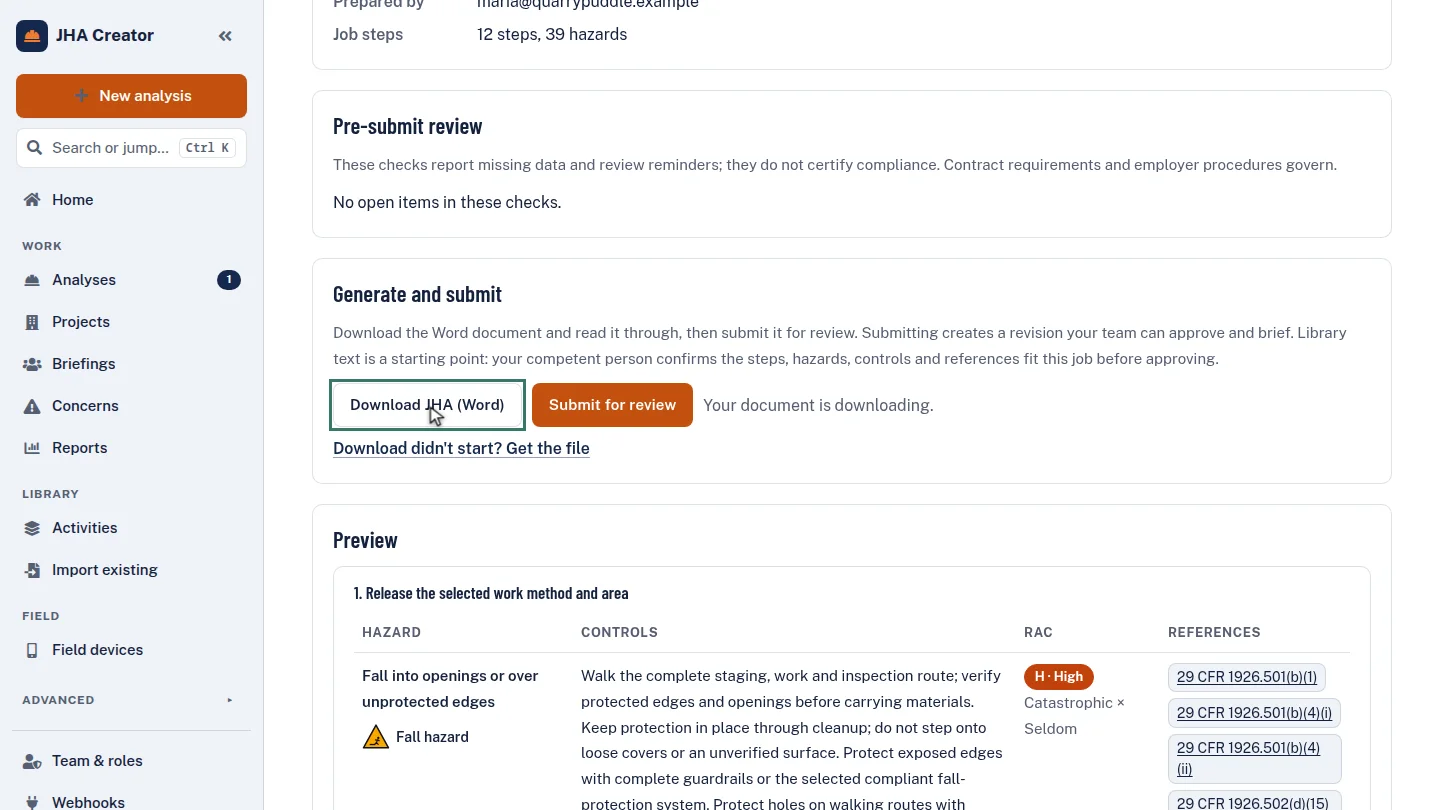
Download the Word document. Each hazard has its own row in OSHA's table, with controls, references and safety signs. Check it, then submit it for review.
Steps
Choose JHA and OSHA's template ▶ 0:08
In the sidebar, select New analysis. Select Job Hazard Analysis (JHA), then under Form layout choose OSHA's Job Hazard Analysis Template (JHA). The layout is offered only for a JHA. Ask the owner or general contractor which form the contract requires.
Fill in OSHA's header fields ▶ 0:16
Enter the Activity and Scope of work; they print as OSHA's Task/Operation and Task/Operation Description. Fill Supervisor(s), and under Equipment, training and inspections (optional) fill PPE required. Select Save and continue.
Add and tailor the steps ▶ 0:25
Search for an activity and select Use this activity, or select Start with a blank analysis. On Steps & hazards, edit every step, hazard and control to match this site, crew and equipment. Library text is a starting point: check each reference before you go on. Select Save and review.
Download and check the form ▶ 0:35
On 4. Review & generate, select Download JHA (Word). Each hazard is a row in OSHA's table, with your controls and OSHA references under CONTROL MEASURES and the hazard's safety signs under PHOTOGRAPHS / SIGNS. Equipment, training and PPE print in a table below. This layout prints no risk code; choose Standard layout when you need one. Read the document through, then submit it for review so your competent person approves it before the crew is briefed.
Next steps
Updated 2026-11-17
OSHA JHA template Job Hazard Analysis Template OSHA form form layout Word template job hazard analysis JSA template