How to create your first AHA in JHA Creator
Federal projects under EM 385-1-1 ask for an Activity Hazard Analysis (AHA) for each phase of work. JHA Creator starts you from a library activity with job steps, hazards, controls, risk assessment codes and references already filled in, so you tailor it to the job instead of typing it from scratch.
Before you start
- The Author role (an admin gives it on Team & roles)
Preview voice Narrated with a local preview voice; the final recording replaces it.
Transcript
Build an Activity Hazard Analysis from a library activity, in a few minutes.
Select New analysis in the sidebar. The wizard opens on Details.
Choose Activity Hazard Analysis, then describe the work: the activity, the scope of work, and the project or site. Select Save and continue.
Search the library for steel, and select Use this activity on Steel Erection. Its job steps, hazards and controls are added for you.
Tailor each step to this job. Set severity and probability, and the risk code updates as you go. Then select Save and review.
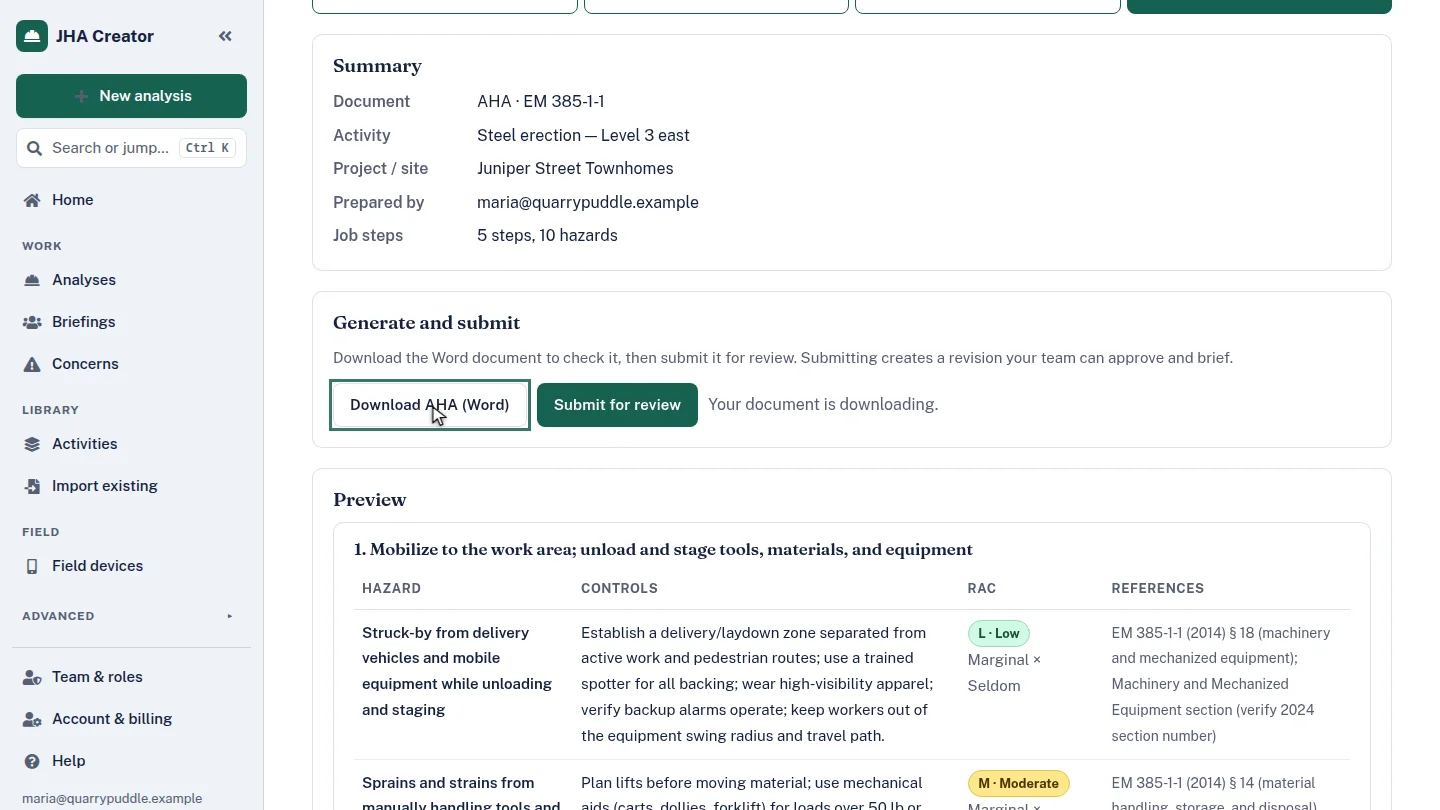
On Review and generate, download the AHA as a Word document to check it.
Steps
Start a new analysis ▶ 0:06
In the sidebar, select New analysis. The wizard opens on 1. Details.
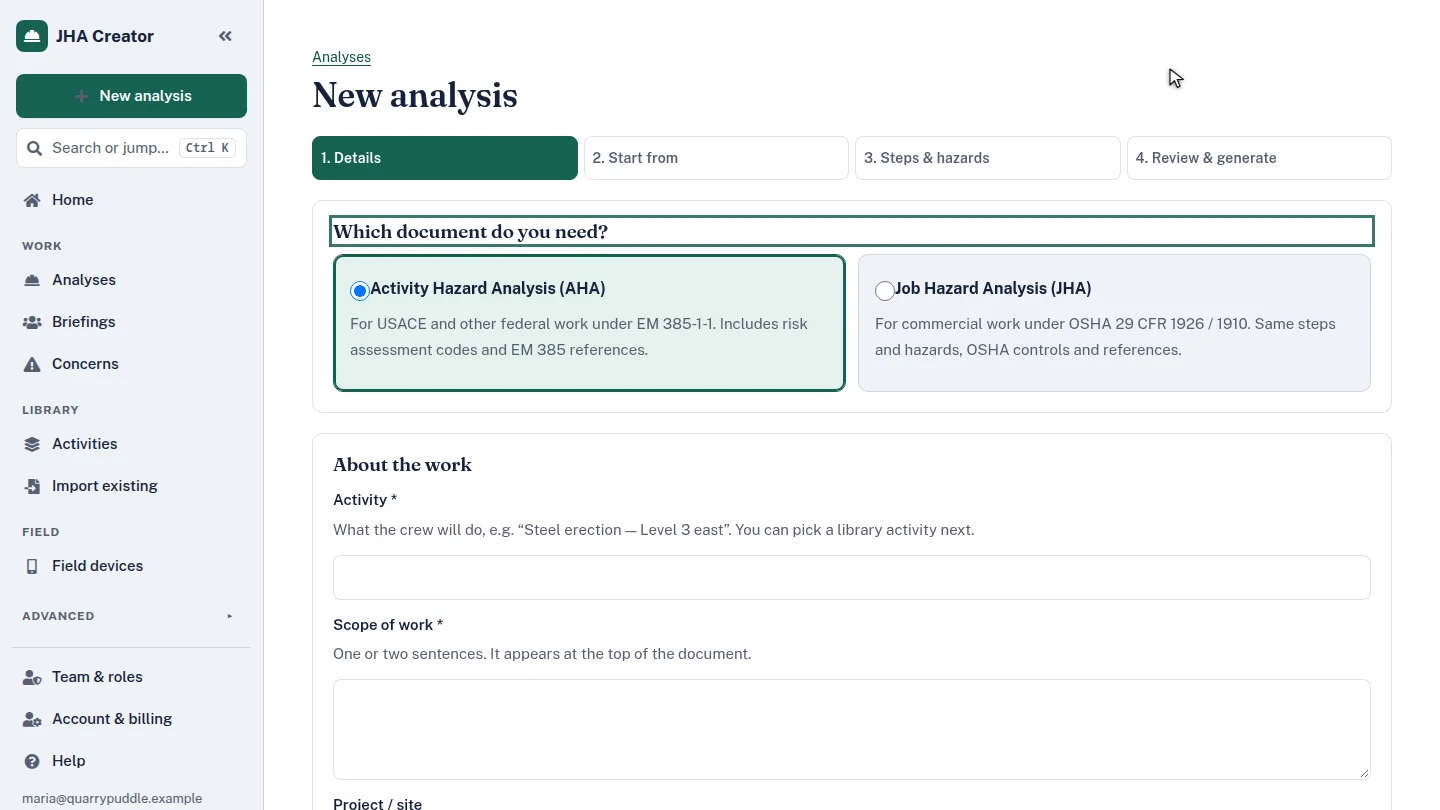
Choose AHA and describe the work ▶ 0:11
Under Which document do you need?, select Activity Hazard Analysis (AHA). Enter the Activity, Scope of work and Project / site, then select Save and continue.
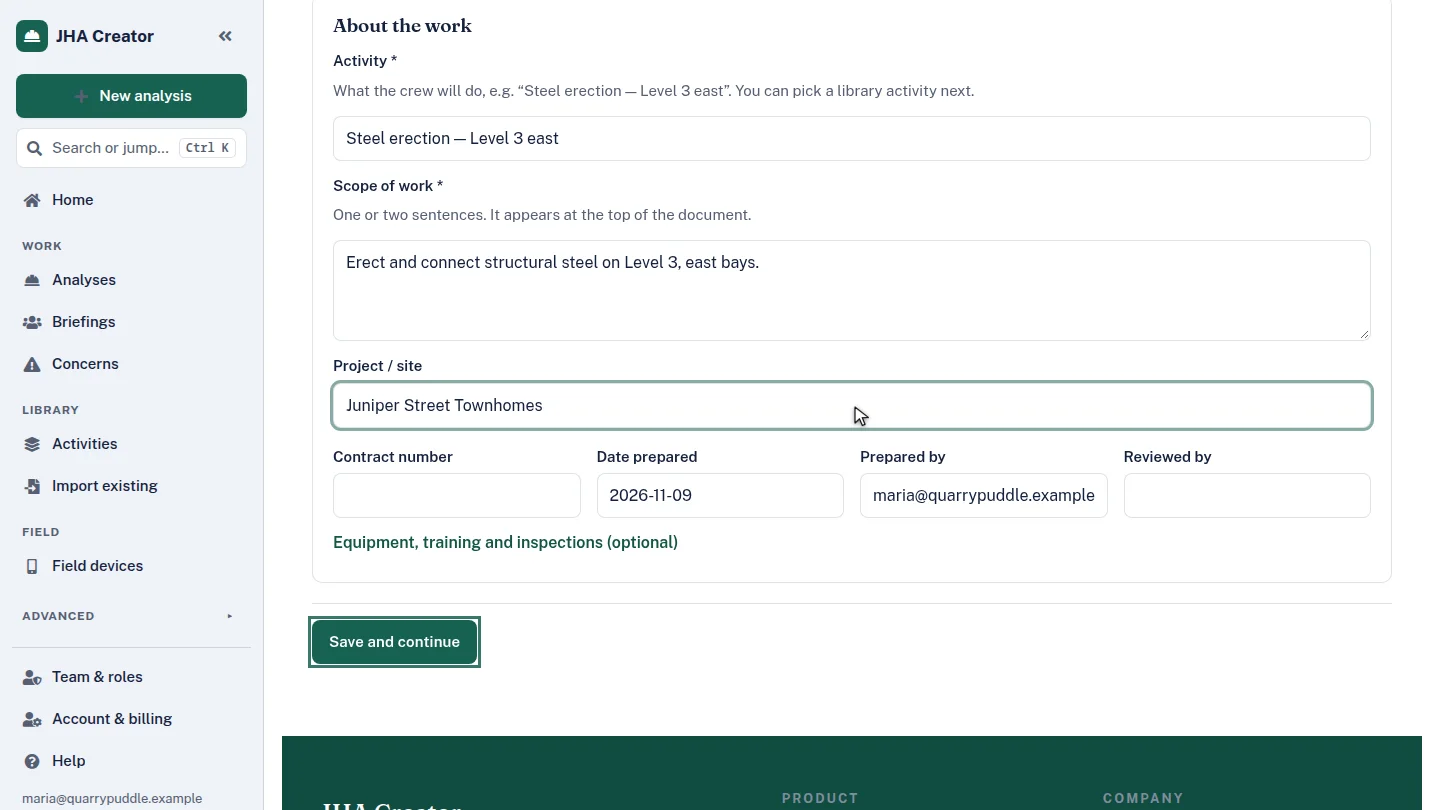
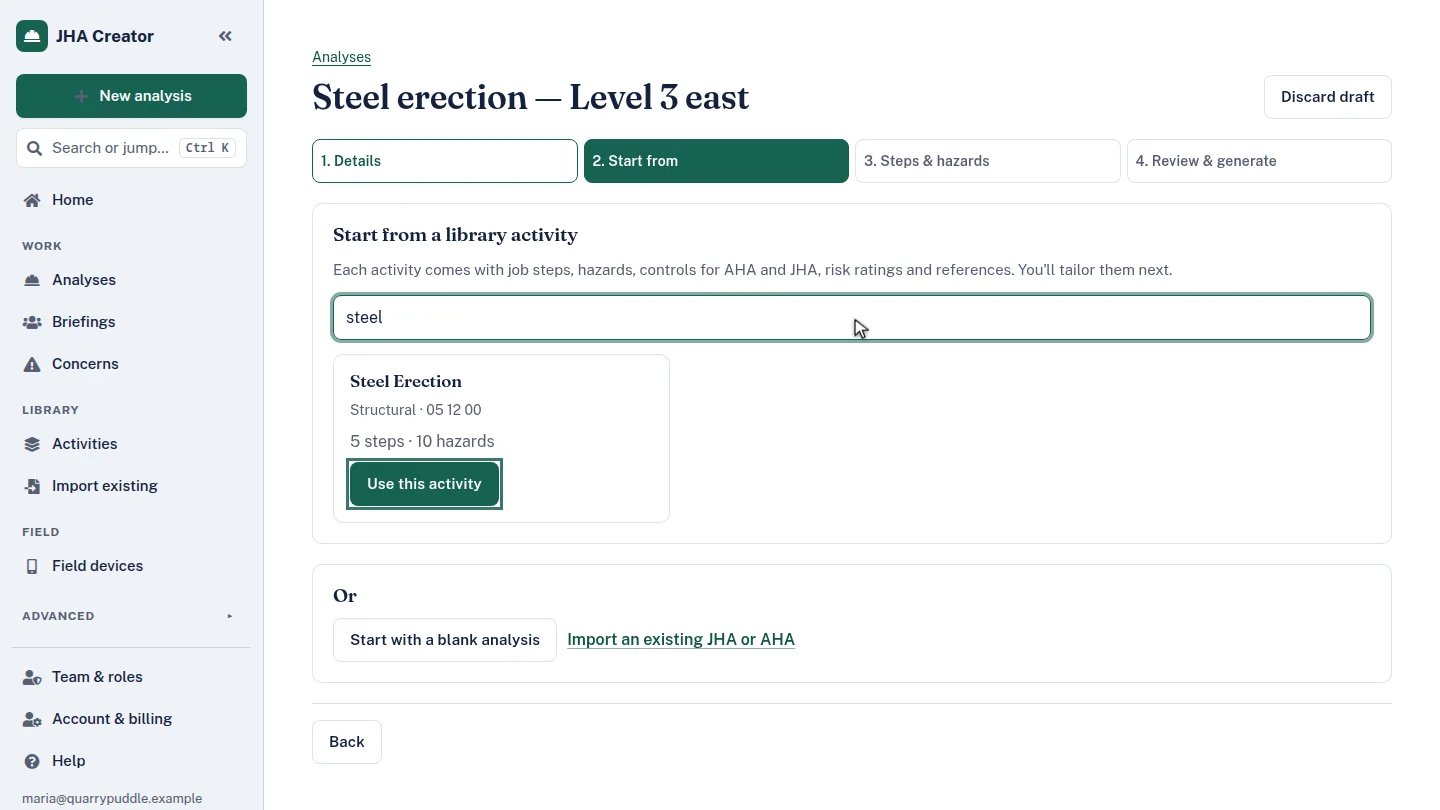
Start from a library activity ▶ 0:22
Search for the activity, for example steel, and select Use this activity on Steel Erection. Its steps and hazards are added and the wizard moves to Steps & hazards.
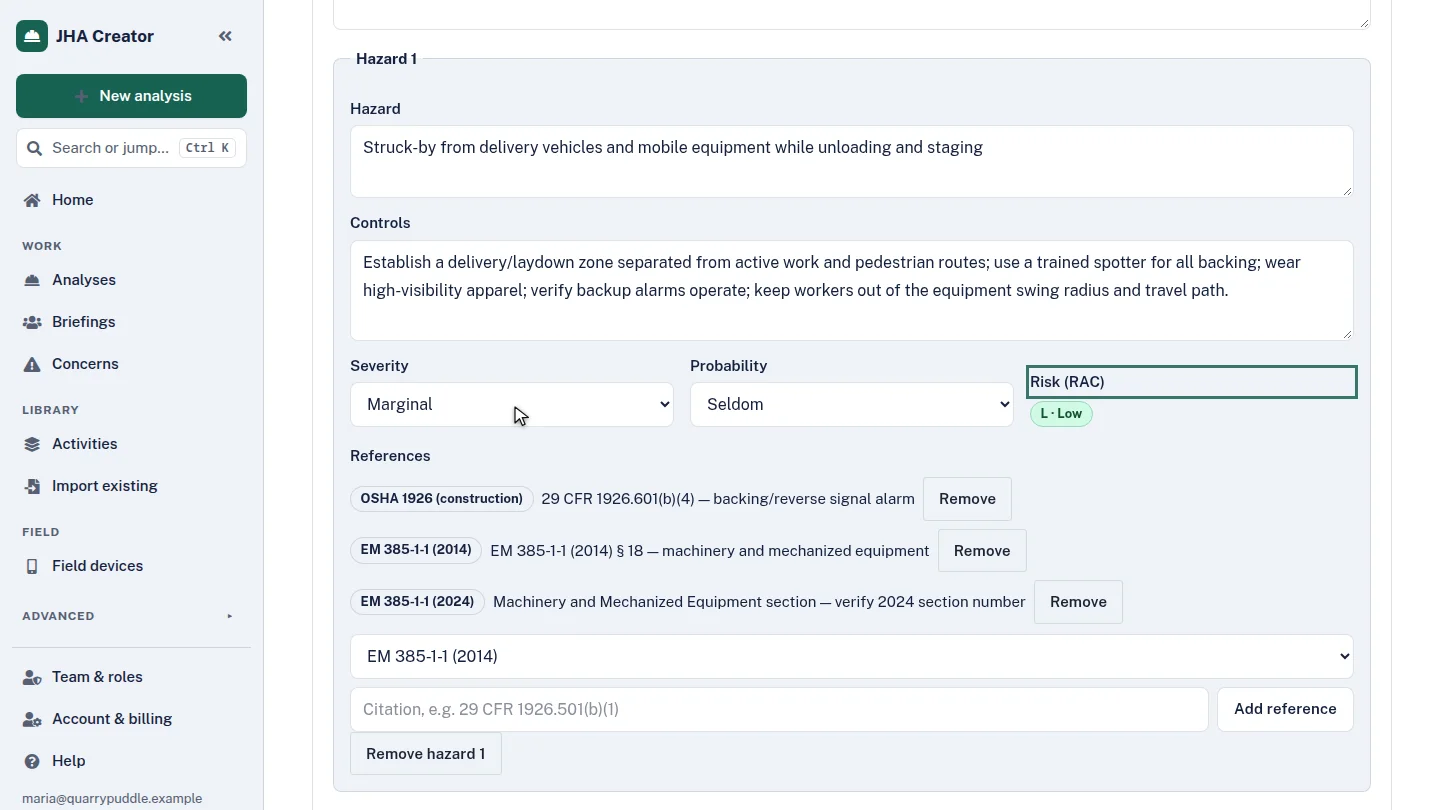
Tailor the steps and hazards ▶ 0:31
Edit each Job step, Hazard and Controls for this job, and set Severity and Probability for every hazard. Fill anything marked in red, then select Save and review. Library references are a starting point: a competent person confirms each citation for your project before work begins.
Download the Word document ▶ 0:41
On 4. Review & generate, select Download AHA (Word). The page says Your document is downloading.
Next steps
- Submit an analysis for review
- Edit job steps, hazards and controls
- Understand the risk assessment code (RAC)
- Choose between an AHA and a JHA
Updated 2026-11-09
activity hazard analysis EM 385-1-1 USACE new analysis AHA template steel erection