How to read and set the risk assessment code (RAC) in JHA Creator
Every hazard gets a risk assessment code (RAC) so the crew and the approver can see at a glance which hazards need the most attention. You never type the RAC: JHA Creator works it out from the severity and probability you choose, using the EM 385-1-1 matrix.
Before you start
- The Author role (an admin gives it on Team & roles)
- A draft analysis open on Steps & hazards
Preview voice Narrated with a local preview voice; the final recording replaces it.
Transcript
Two choices per hazard, severity and probability, give you its risk assessment code.
On Steps and hazards, find the hazard you want to rate.
For severity, choose the worst credible outcome, from catastrophic down to negligible.
For probability, choose how likely harm is with your controls in place.
Read the chip. Catastrophic and unlikely gives M, moderate. If the code is more than you can accept, strengthen the controls and rate the probability again.
Steps
Find the hazard ▶ 0:07
Open the draft on 3. Steps & hazards and find the hazard to rate. Each hazard has Severity, Probability and Risk (RAC).
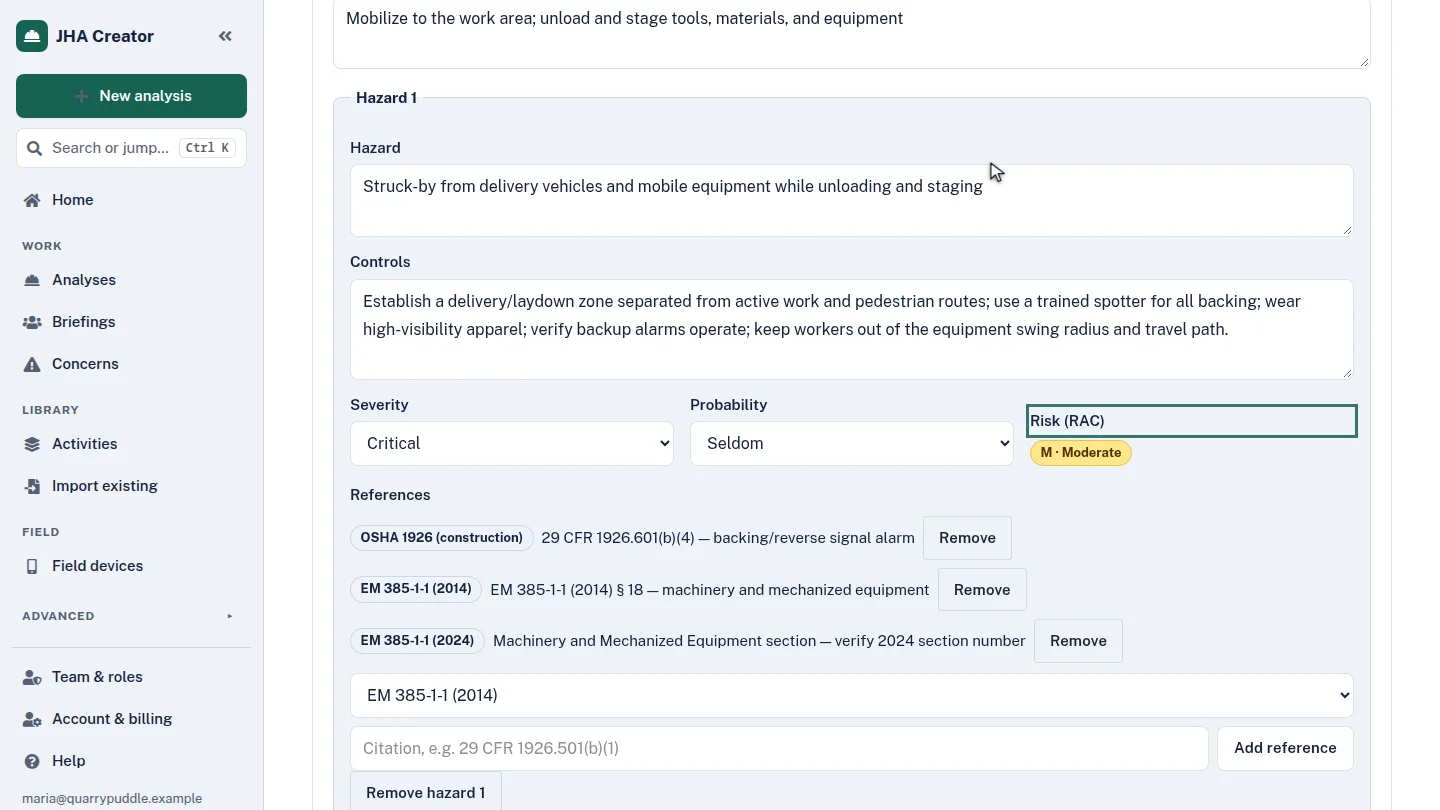
Choose the severity ▶ 0:11
For Severity, choose the worst credible outcome: Catastrophic, Critical, Marginal or Negligible.
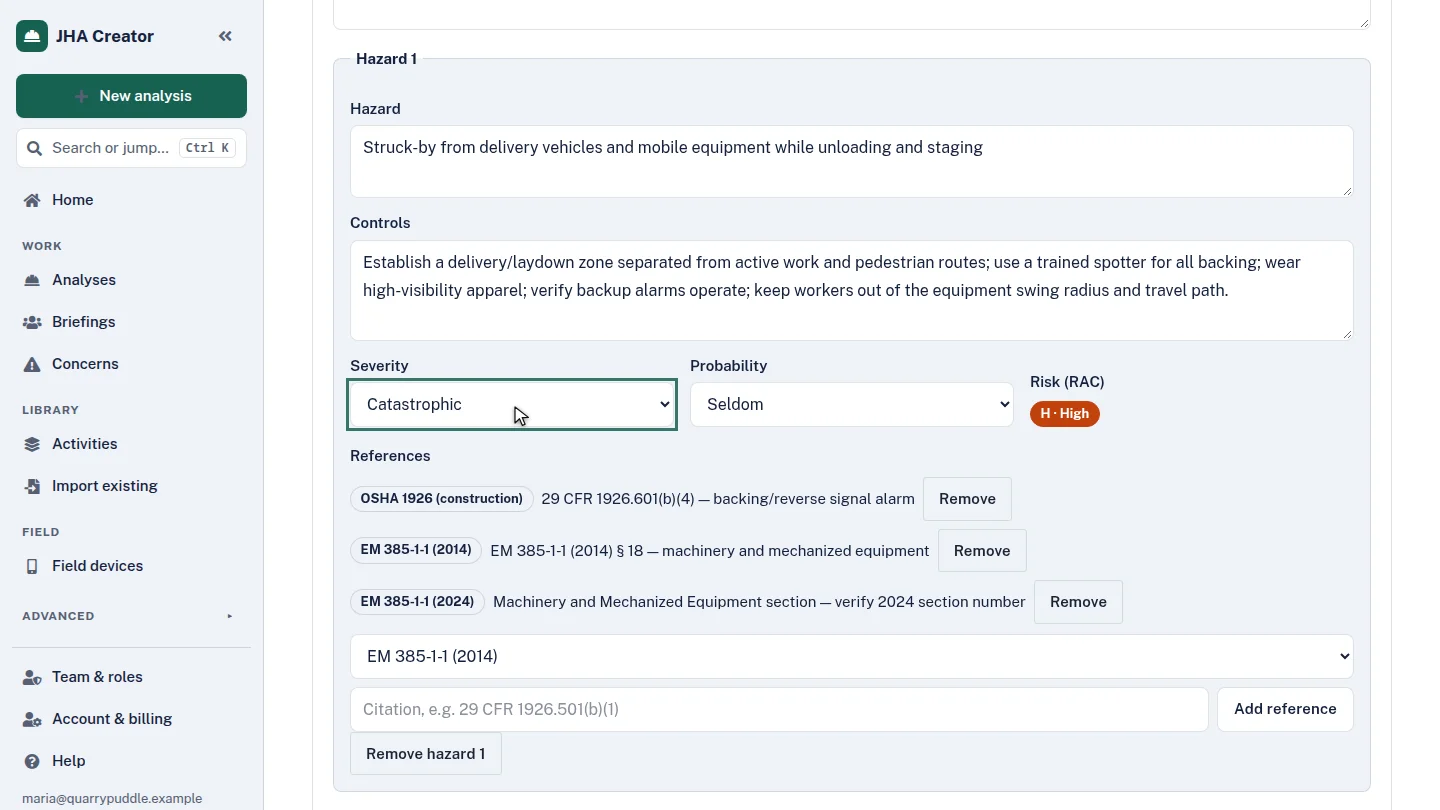
Choose the probability ▶ 0:18
For Probability, choose how likely harm is with your controls in place: Frequent, Likely, Occasional, Seldom or Unlikely.
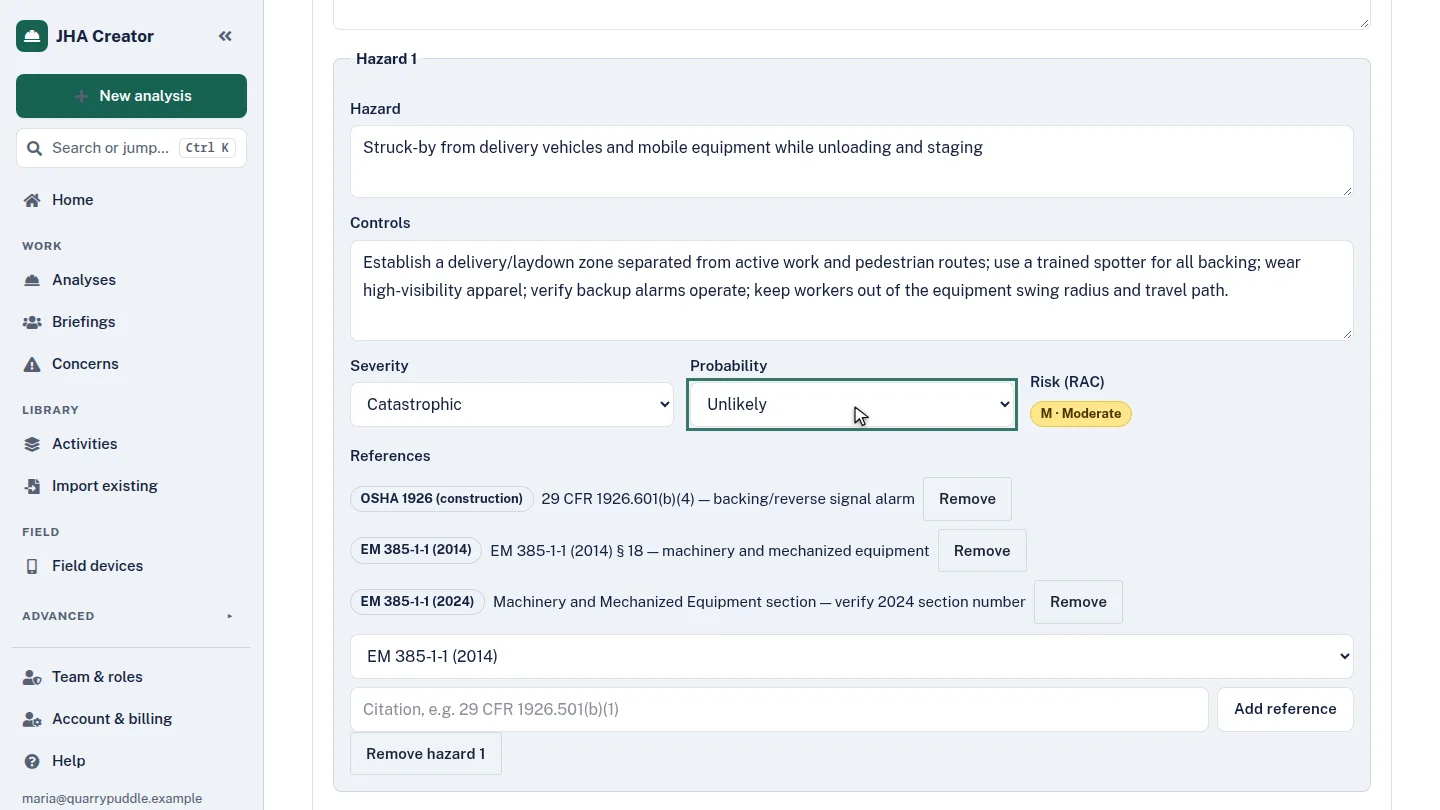
Read the RAC ▶ 0:23
The chip shows E · Extremely high, H · High, M · Moderate or L · Low. Catastrophic is E when Frequent or Likely, H when Occasional or Seldom, and M when Unlikely. Critical is E when Frequent, H when Likely or Occasional, M when Seldom, and L when Unlikely. Marginal is H when Frequent, M when Likely or Occasional, and L when Seldom or Unlikely. Negligible is M when Frequent and L otherwise. If the code is higher than you can accept, add or strengthen controls and rate the probability again.
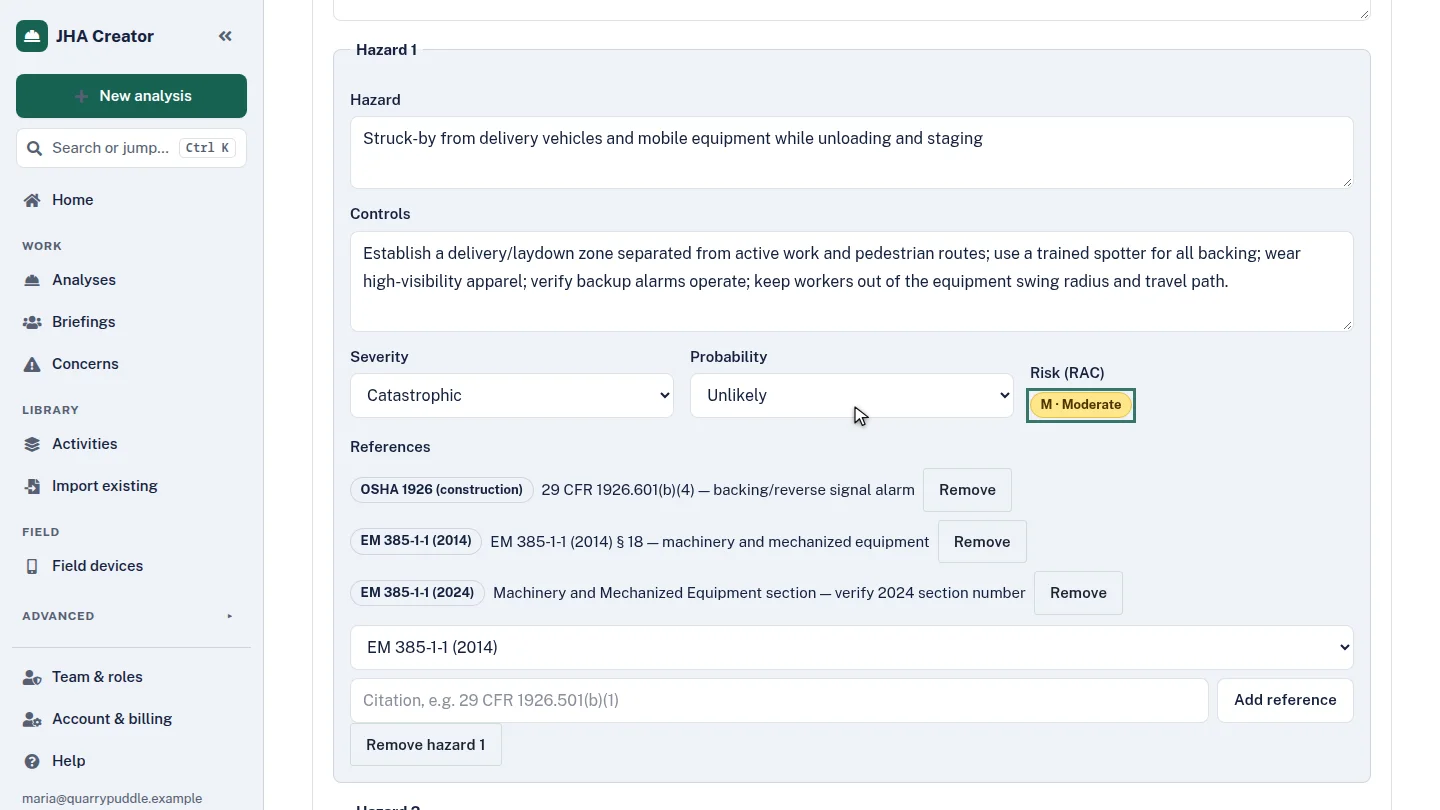
Next steps
Updated 2026-11-09
RAC risk assessment code risk matrix severity probability residual risk EM 385-1-1