How to let the crew sign in with a QR code in JHA Creator
Passing one laptop around the crew is slow. The foreman shows a QR code, and each crew member signs in on their own phone, confirms attendance and signs the acknowledgment. Crew members already signed in on a computer can select Confirm I attended on the briefing instead.
Before you start
- A briefing in progress (see Run a crew briefing)
- Each crew member has their own JHA Creator sign-in and the Crew member role
Preview voice Narrated with a local preview voice; the final recording replaces it.
Transcript
Each crew member signs the briefing on their own phone.
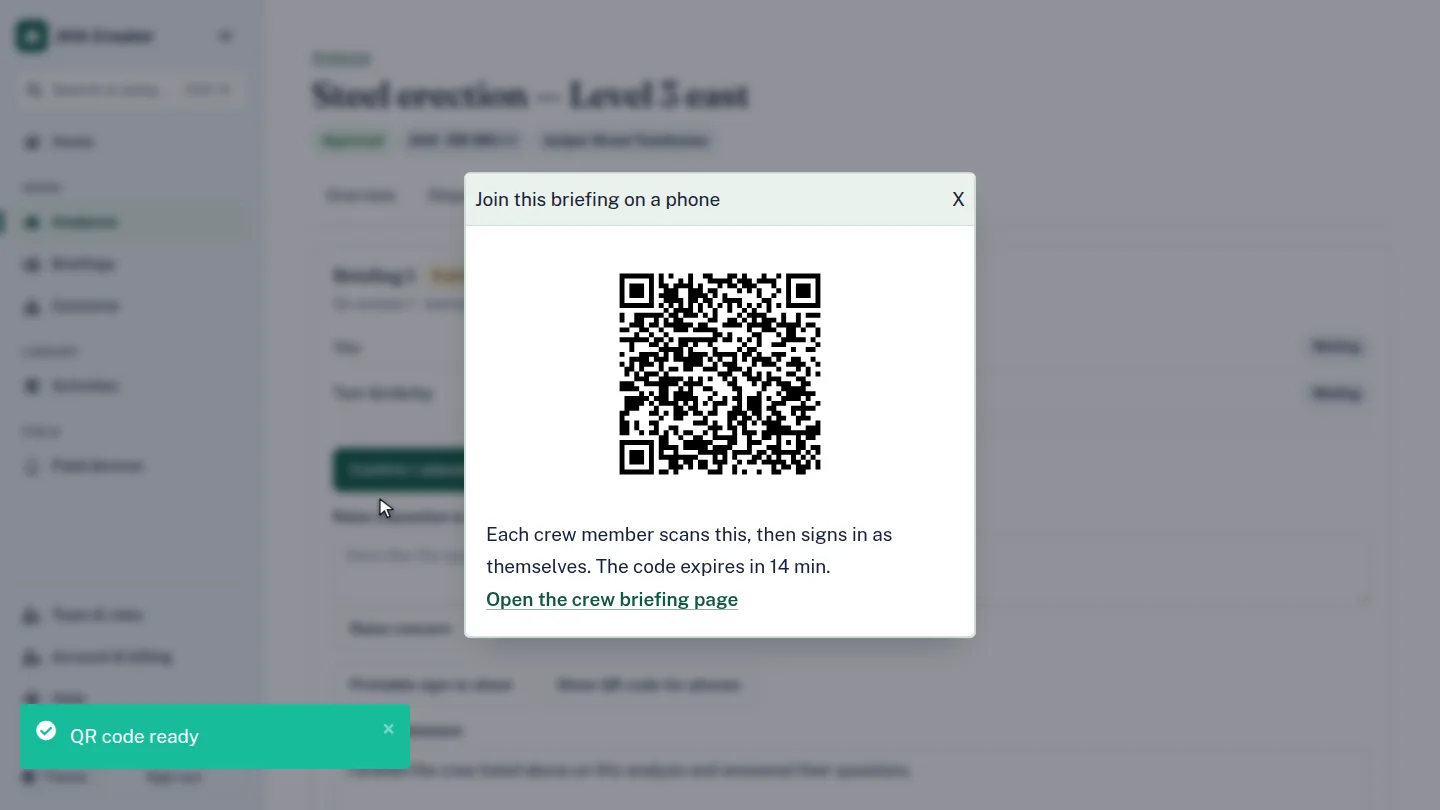
Foreman: on the briefing, select Show QR code for phones. The code works for fifteen minutes.
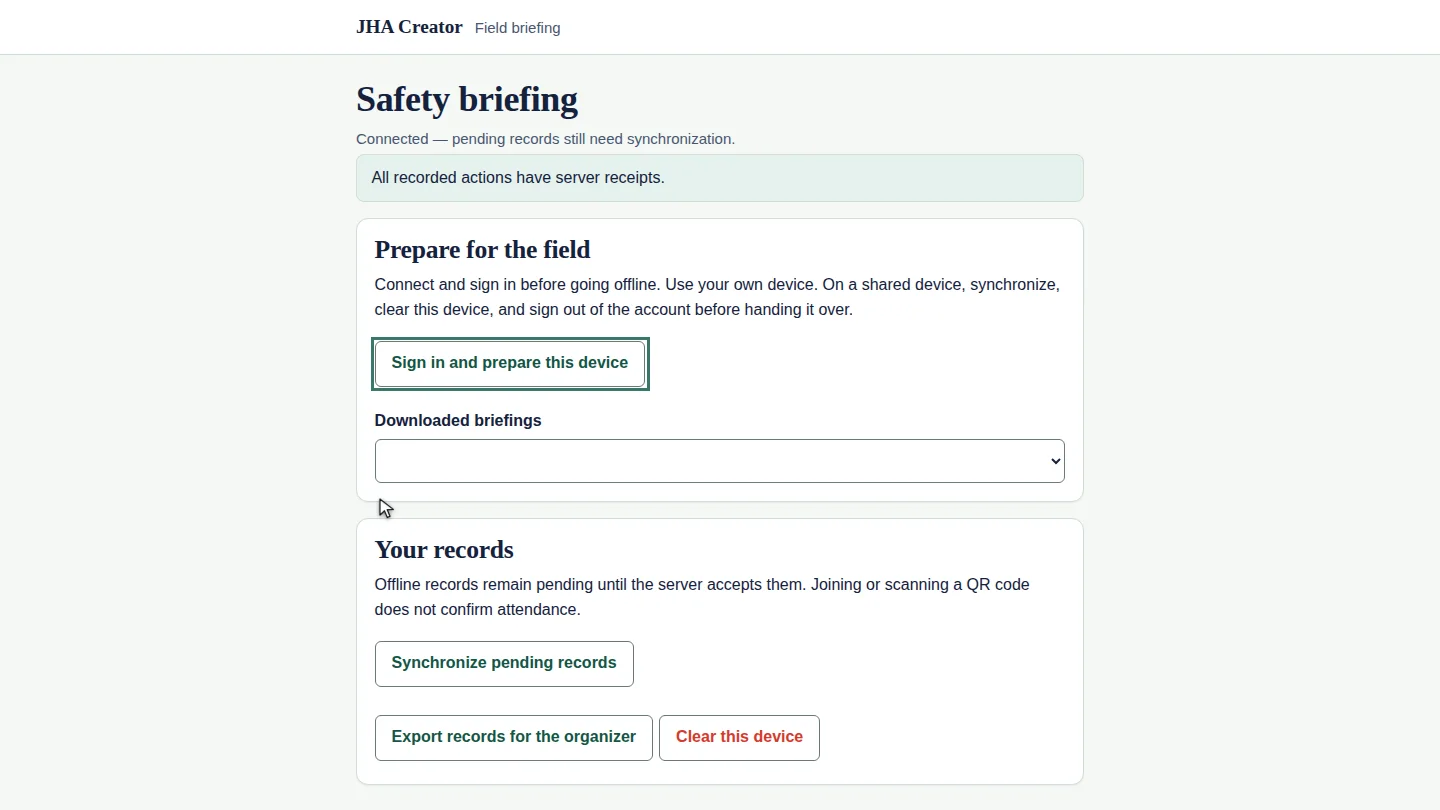
Crew member: scan the code with your phone camera. The Safety briefing page opens.
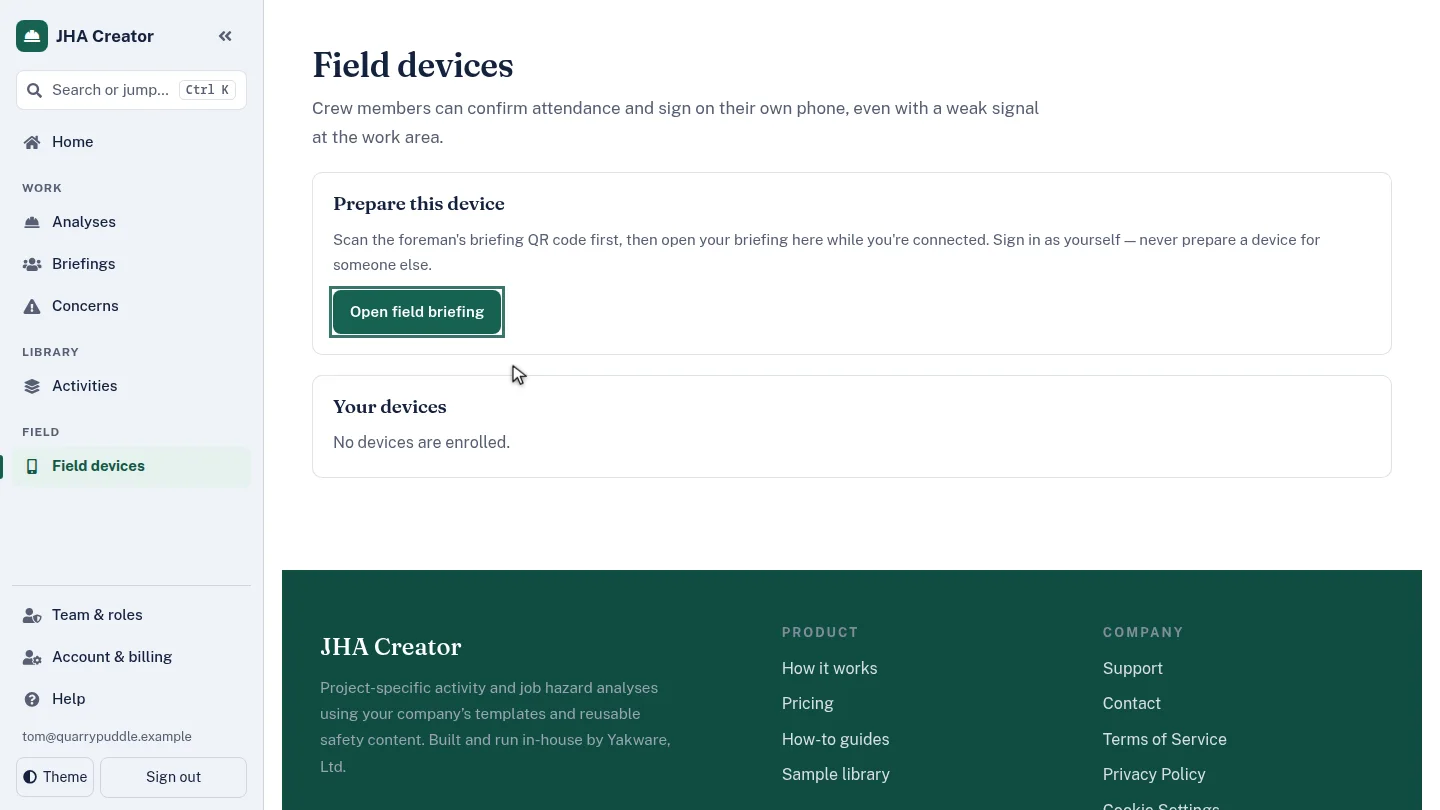
Select Sign in and prepare this device. JHA Creator opens Field devices. Sign in as yourself if asked, then select Open field briefing.
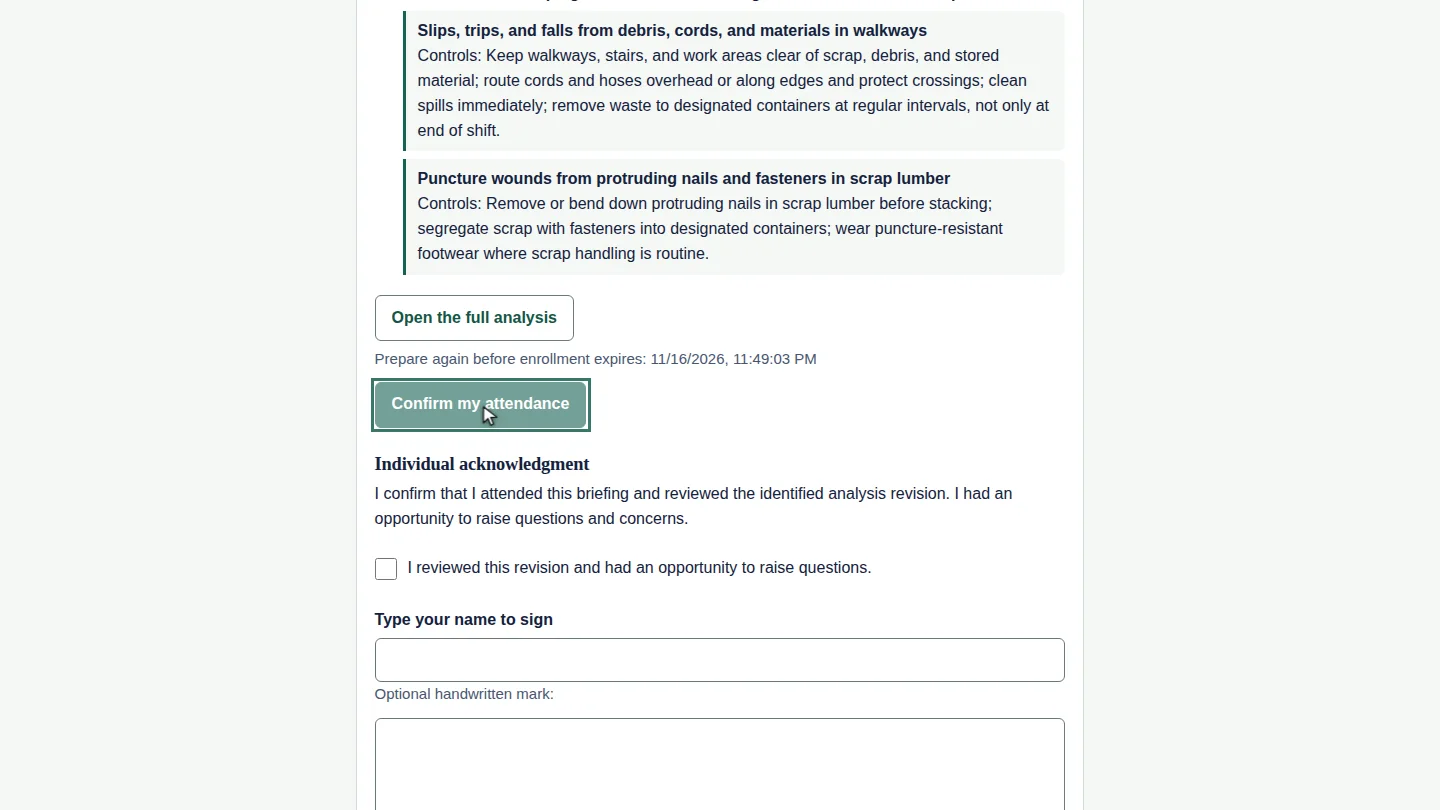
Select Download this briefing. Read the job steps, hazards and controls, then select Confirm my attendance.
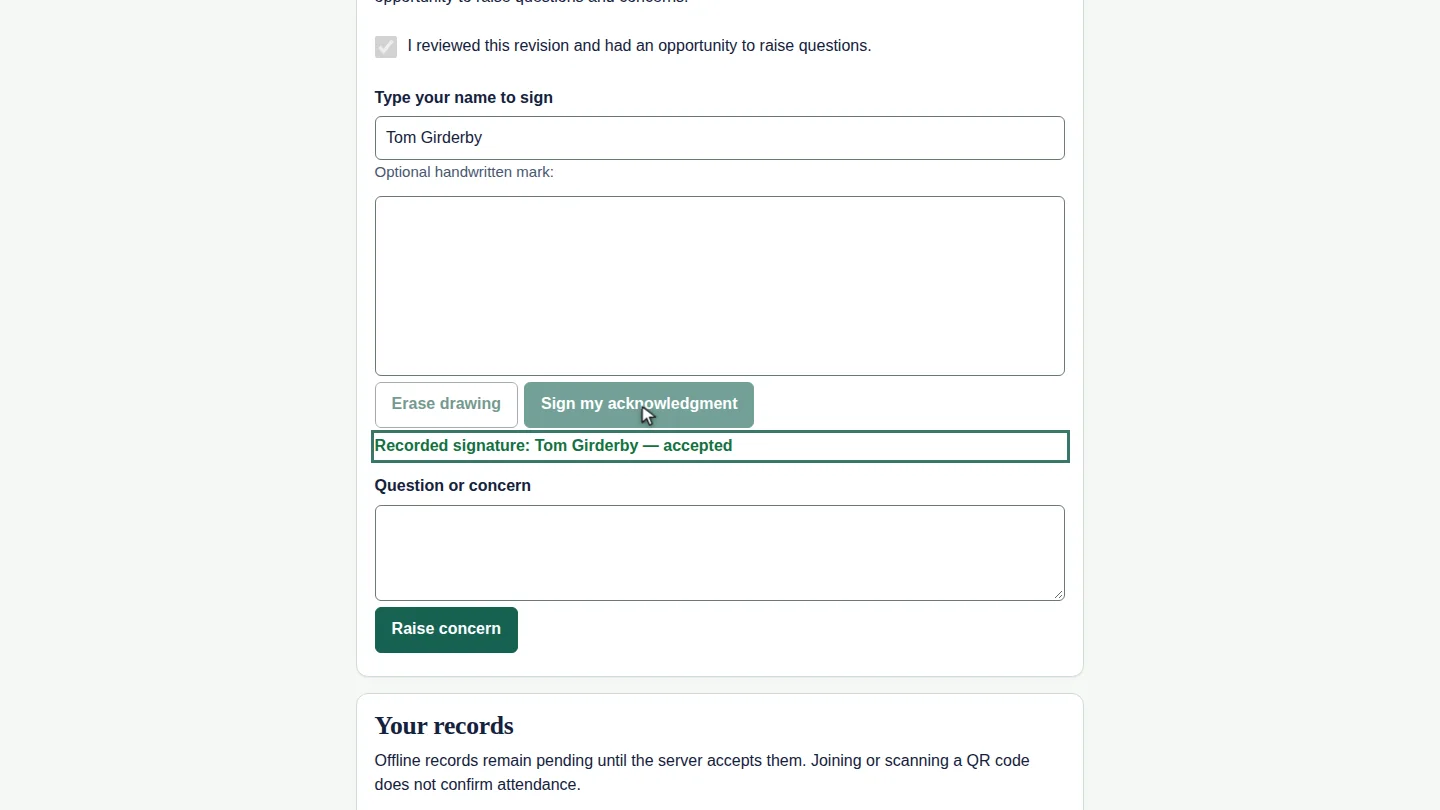
Tick the review box, type your name, and select Sign my acknowledgment. Your signature is recorded and accepted.
Steps
Show the QR code ▶ 0:05
Foreman: on the briefing, select Show QR code for phones. Join this briefing on a phone opens. The code expires after 15 minutes.
Scan the code ▶ 0:12
Crew member: scan the code with your phone camera. The Safety briefing page opens. Scanning alone doesn't confirm attendance.
Sign in as yourself ▶ 0:18
Select Sign in and prepare this device. JHA Creator opens Field devices; sign in as yourself if asked, then select Open field briefing. Never sign in for someone else.
Confirm attendance ▶ 0:28
Select Download this briefing, read the steps and hazards, then select Confirm my attendance.
Sign the acknowledgment ▶ 0:36
Tick I reviewed this revision and had an opportunity to raise questions., type your name in Type your name to sign, and select Sign my acknowledgment. Drawing a mark is optional. The page shows Recorded signature: with your name and accepted once it syncs.
Next steps
Updated 2026-11-09
QR code phone mobile sign-in crew sign-off acknowledge signature attendance