How to run a crew briefing in JHA Creator
Before work starts, the crew needs to hear the approved analysis and confirm they understood it. A briefing records who was expected, who attended and who acknowledged the analysis, on paper, a phone or a shared device, so you have a record if anyone asks.
Before you start
- An approved revision (see Submit an analysis for review)
- Crew members with the Crew member role (see Invite an approver or crew members)
Preview voice Narrated with a local preview voice; the final recording replaces it.
Transcript
Brief your crew on an approved analysis, and record who signed off.
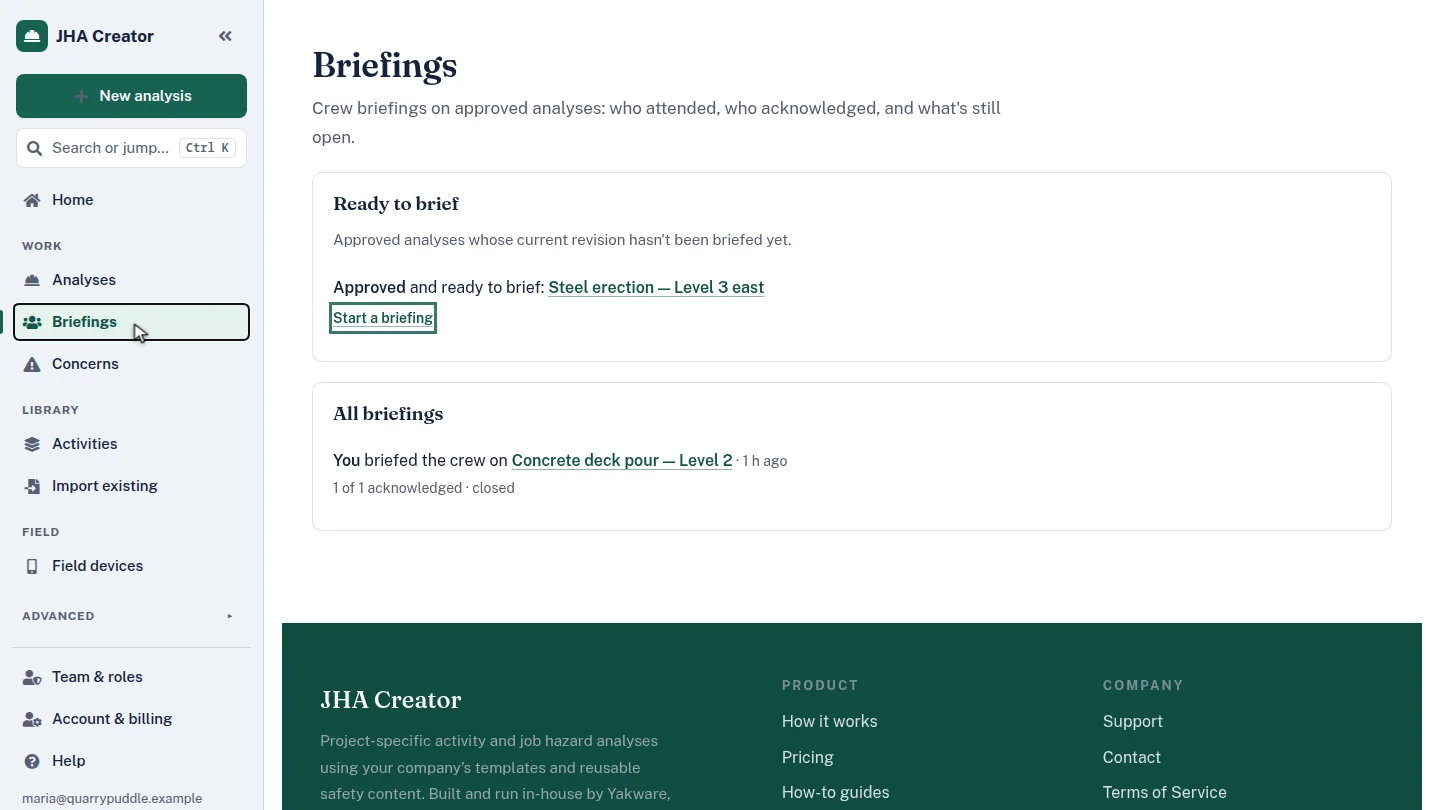
In Briefings, select Start a briefing next to the approved analysis.
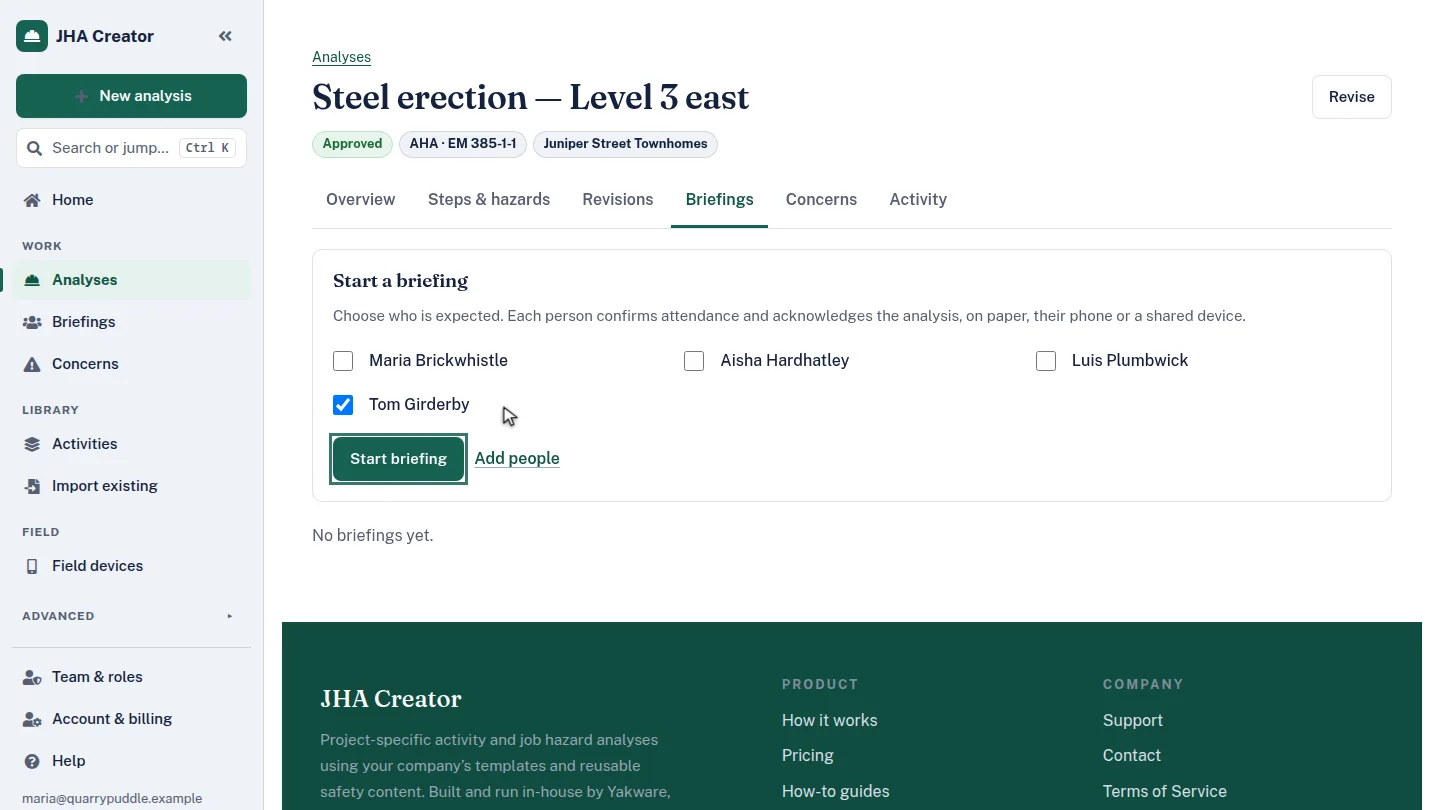
Tick the crew members you expect by name, and select Start briefing.
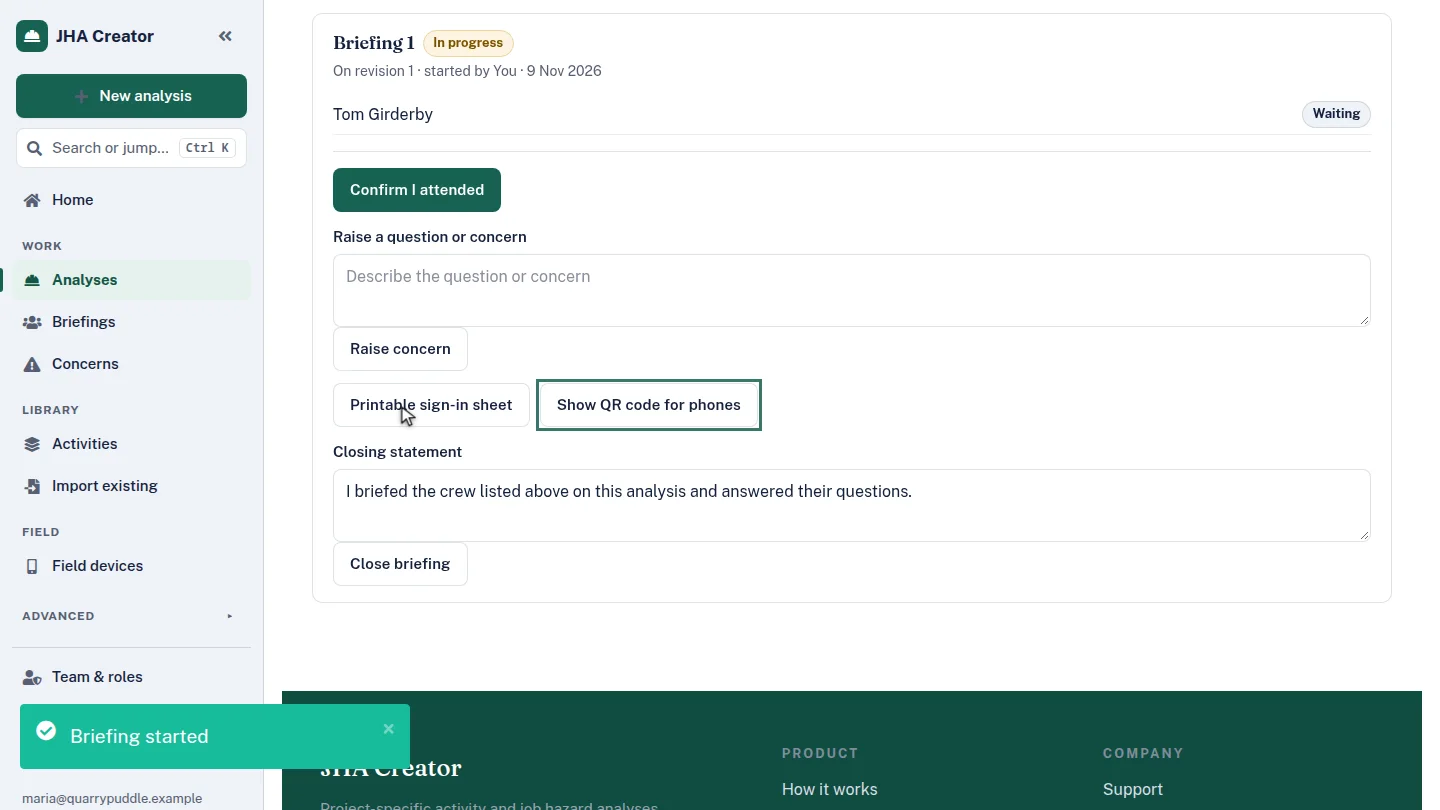
Let the crew sign in. Print the sign-in sheet, or show a QR code for phones.
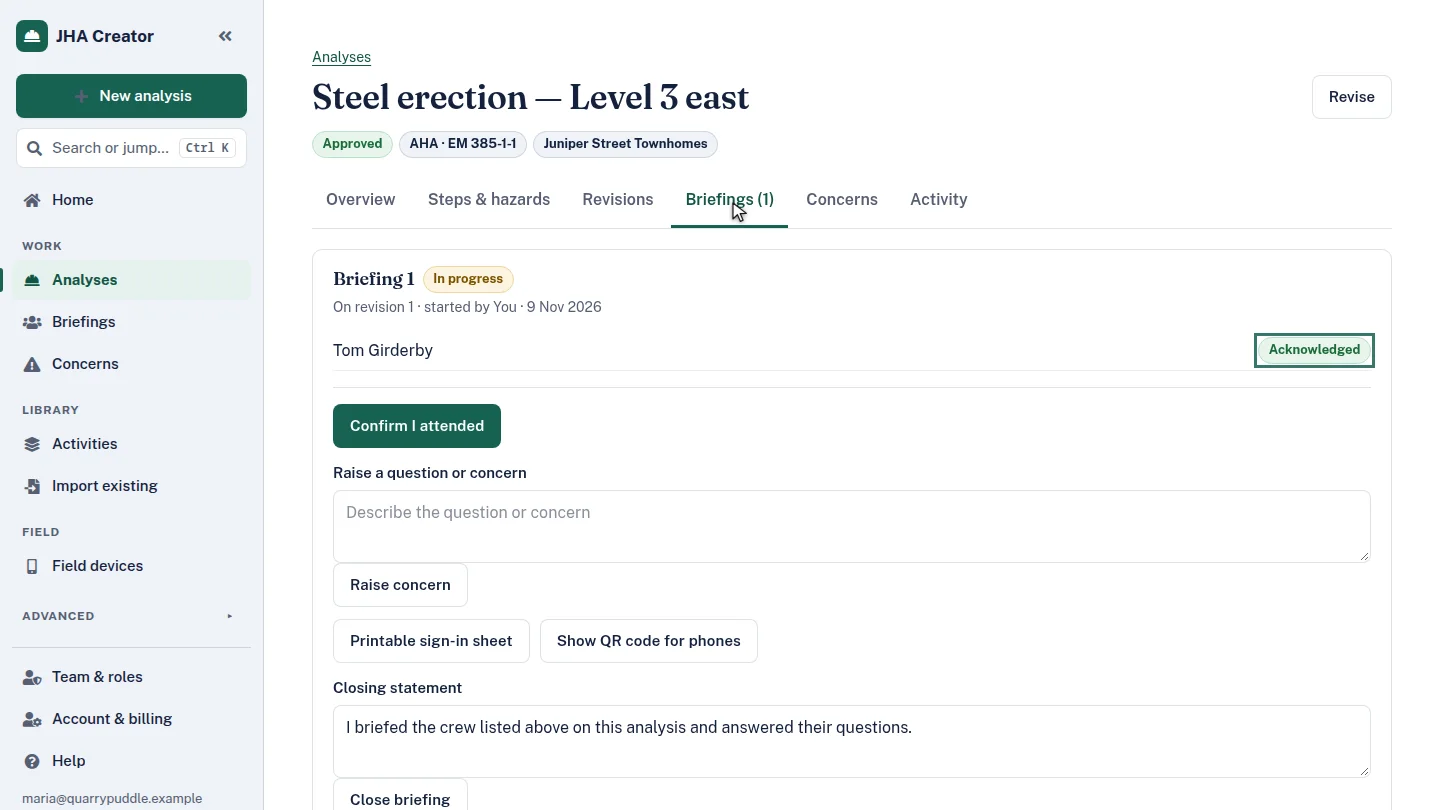
As the crew signs, open another tab and come back to Briefings to refresh the list. Each person moves from waiting, to attended, to acknowledged.
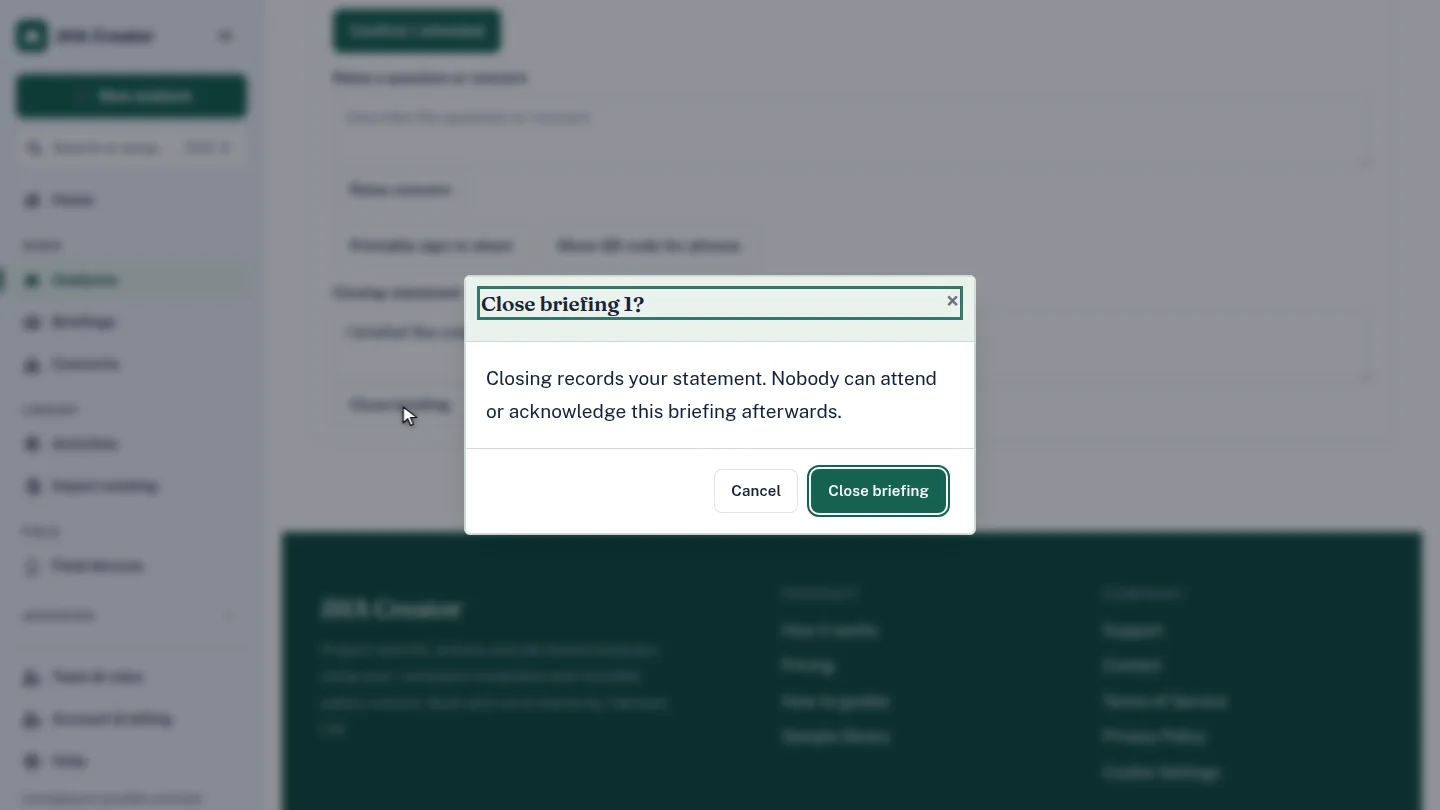
Check the closing statement, select Close briefing, and confirm. The briefing closes with your statement.
Steps
Open the analysis ▶ 0:06
In the sidebar, select Briefings. Under Ready to brief, select Start a briefing next to the analysis.
Choose the crew ▶ 0:11
Under Start a briefing, tick each crew member you expect, then select Start briefing.
Let the crew sign in ▶ 0:16
Select Printable sign-in sheet for paper, or Show QR code for phones so each person signs on their own phone (see Let the crew sign in with a QR code).
Track sign-off ▶ 0:22
As the crew signs, select another tab, such as Overview, then Briefings again to refresh the crew list. Each person moves from Waiting to Attended to Acknowledged.
Close the briefing ▶ 0:33
Check the Closing statement, select Close briefing, and confirm. Nobody can attend or acknowledge the briefing after it closes.
Next steps
- Let the crew sign in with a QR code
- Resolve a crew concern
- Prepare a field device
- Download the evidence package
Updated 2026-11-09
toolbox talk crew briefing pre-task meeting sign-in sheet attendance acknowledgment