How to invite an approver or crew members to JHA Creator
Roles decide who does what: authors write analyses, approvers sign them off, foremen run briefings, crew members acknowledge them, and auditors download the evidence. Invite each person by email, then tick their roles. A person can hold several roles.
Before you start
- An open seat on your plan
Preview voice Narrated with a local preview voice; the final recording replaces it.
Transcript
Bring your approver and crew into JHA Creator, each with the right role.
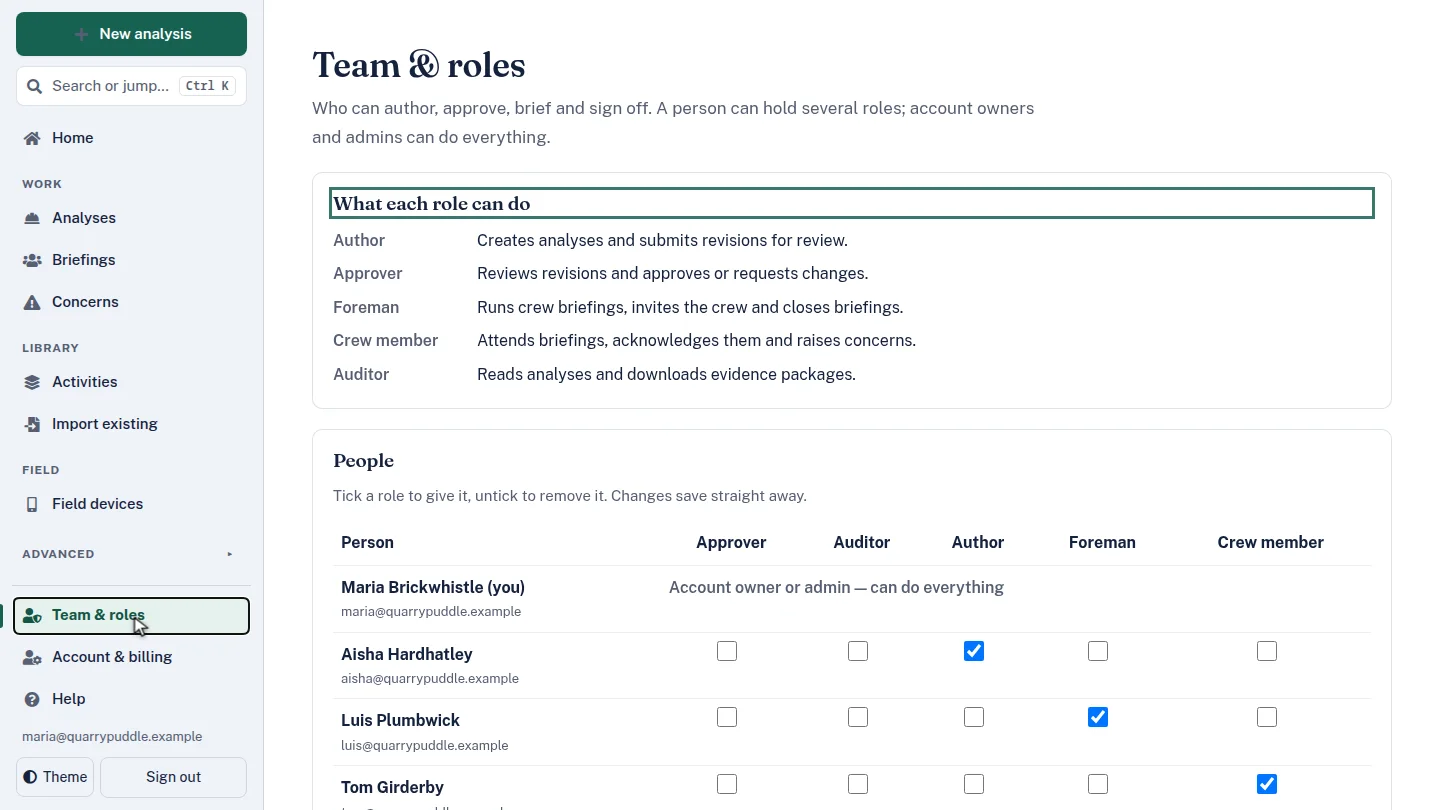
In the sidebar footer, select Team and roles. It lists what each role can do.
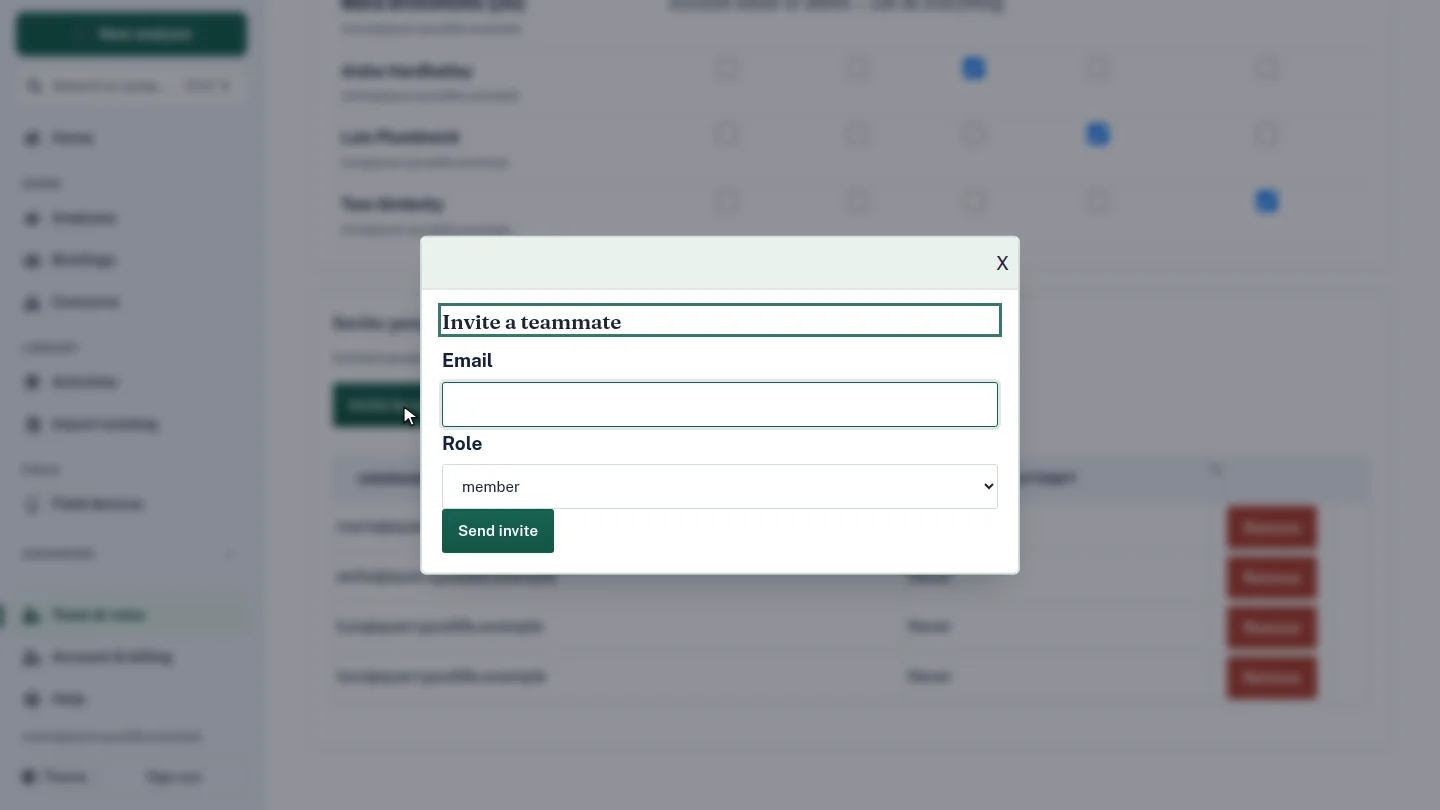
Under Invite people, select Invite by email.
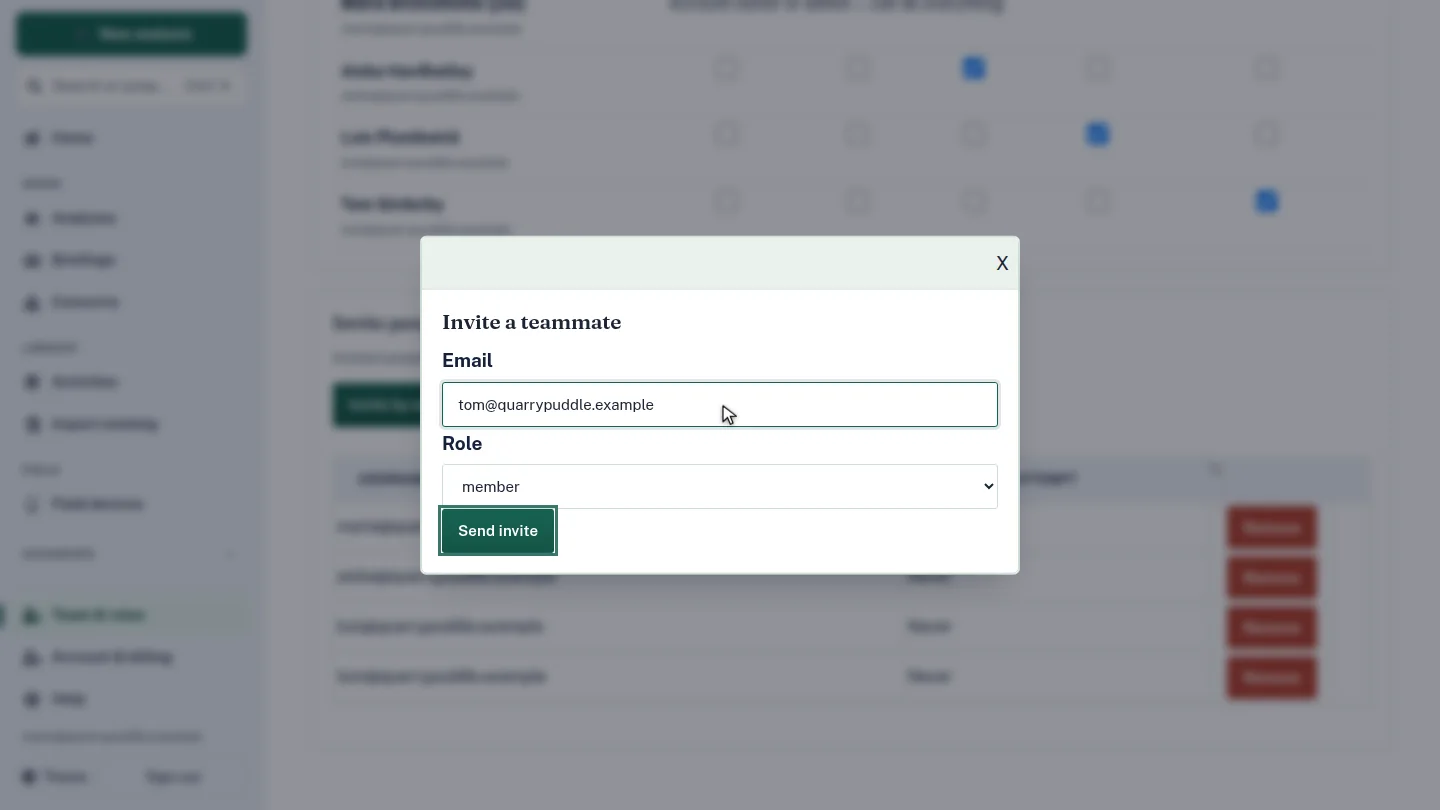
Enter their email and select Send invite. They get an email with a link, and set their own password.
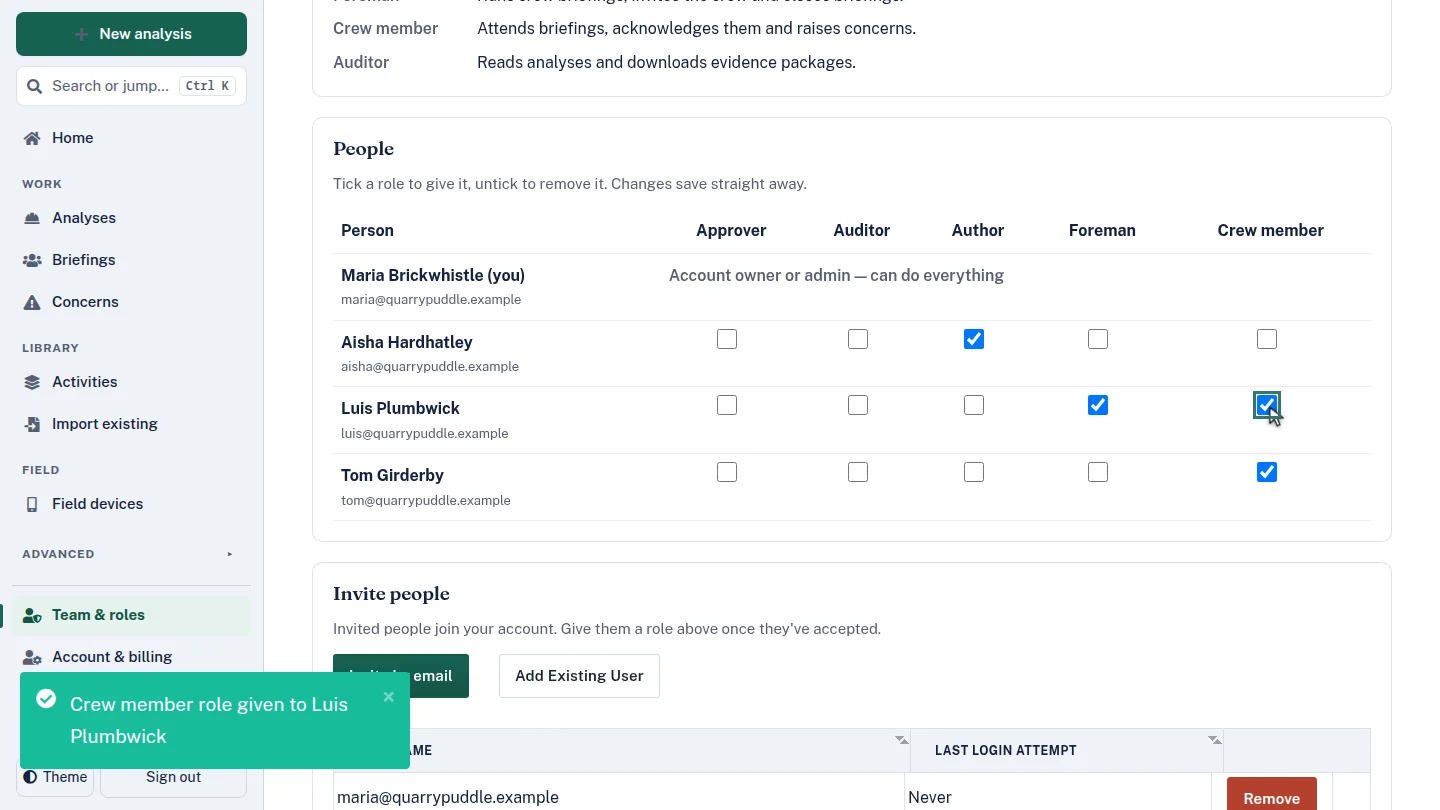
Once they've accepted, tick their roles under People, such as Approver or Crew member. Changes save straight away.
Steps
Open Team & roles ▶ 0:06
In the sidebar footer, select Team & roles. What each role can do explains Author, Approver, Foreman, Crew member and Auditor.
Start an invite ▶ 0:12
Under Invite people, select Invite by email. Invite a teammate opens.
Send the invite ▶ 0:16
Enter the person's Email, keep the default Role unless they will manage the account, and select Send invite. Invite Sent confirms it, and the person appears under Pending invitations. They get an email link and set their own password.
Give them roles ▶ 0:23
When they've accepted, find them under People and tick their roles, for example Approver or Crew member. Changes save straight away.
Next steps
Updated 2026-11-09
invite add user team roles approver foreman crew member auditor permissions