Your JHA on OSHA's own template
Some owners and general contractors ask for OSHA's Job Hazard Analysis Template by name. Choose it as the form layout and JHA Creator fills it in from the analysis you built.
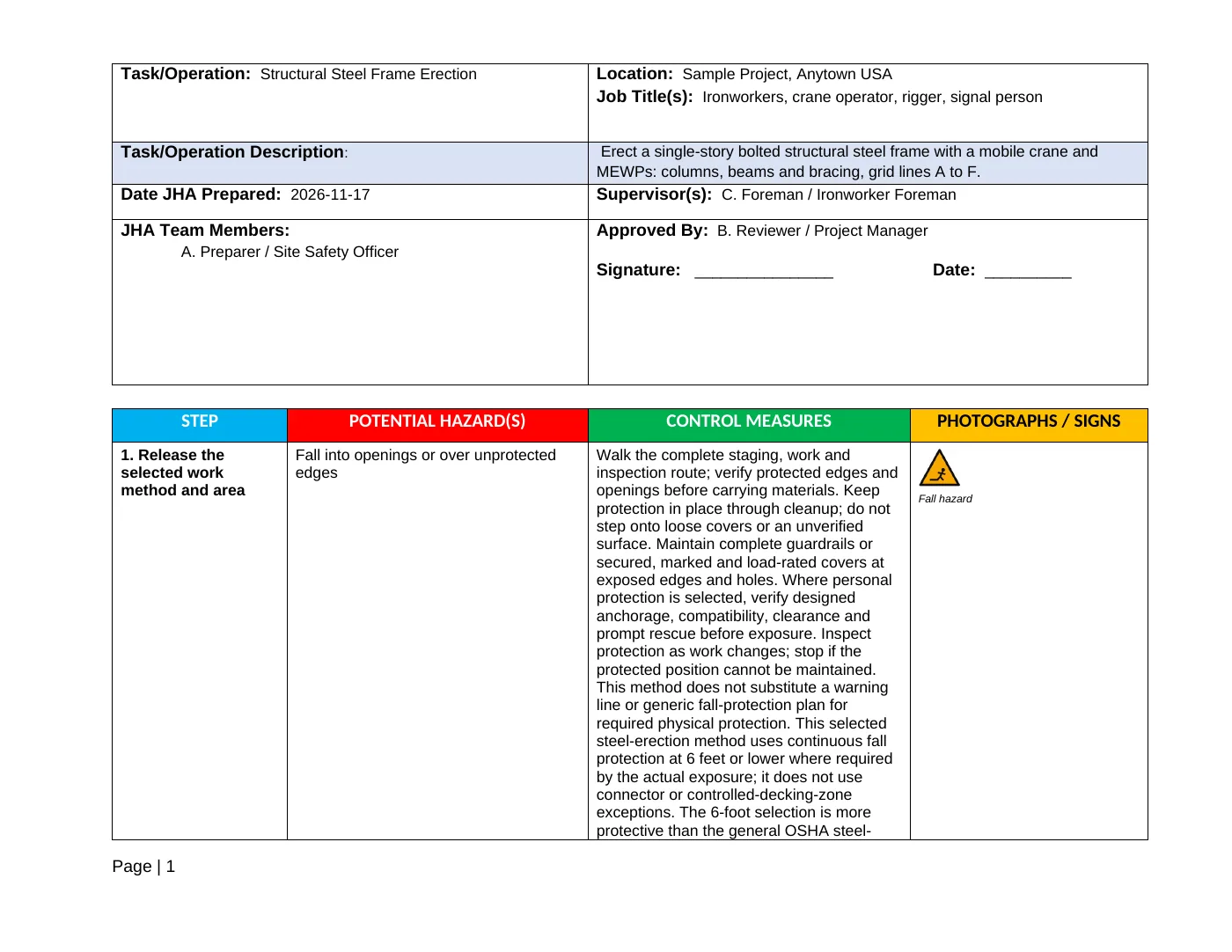
What prints on the form
- OSHA's header block: task or operation, location, job titles, task description, date prepared, supervisors, the JHA team and who approved it, with a signature line.
- OSHA's Step, Potential Hazard(s), Control Measures and Photographs table, with one row for each hazard and the step shown once.
- Equipment and tools, training and personal protective equipment for the task.
- Your controls and the OSHA 29 CFR references under Control Measures.
- The safety signs for each hazard in the Photographs column.
The document is built from the Word file OSHA publishes. OSHA's instruction pages are left out, so what you print is the completed form.
How to use it
- Select New analysis and choose Job Hazard Analysis (JHA).
- Under Form layout, choose OSHA's Job Hazard Analysis Template (JHA), and fill in Supervisor(s) and PPE required.
- Pick a library activity or start blank, tailor the steps, hazards and controls to the job, then select Download JHA (Word).
One analysis, more than one form
The layout is a setting on the analysis. The same steps and hazards also print on the standard JHA form with a risk code for every hazard, or as an EM 385-1-1 AHA for federal work.
Your analysis, reviewed by your competent person
Library text is a starting point. Tailor every step, hazard and control to the site, check each reference, and have your competent person approve the analysis before the crew is briefed. JHA Creator is independent software and is not affiliated with or endorsed by OSHA; using OSHA's template does not by itself show compliance with any standard.